Device Connection Authorization
Administrators create connection authorizations for users to access specific devices.
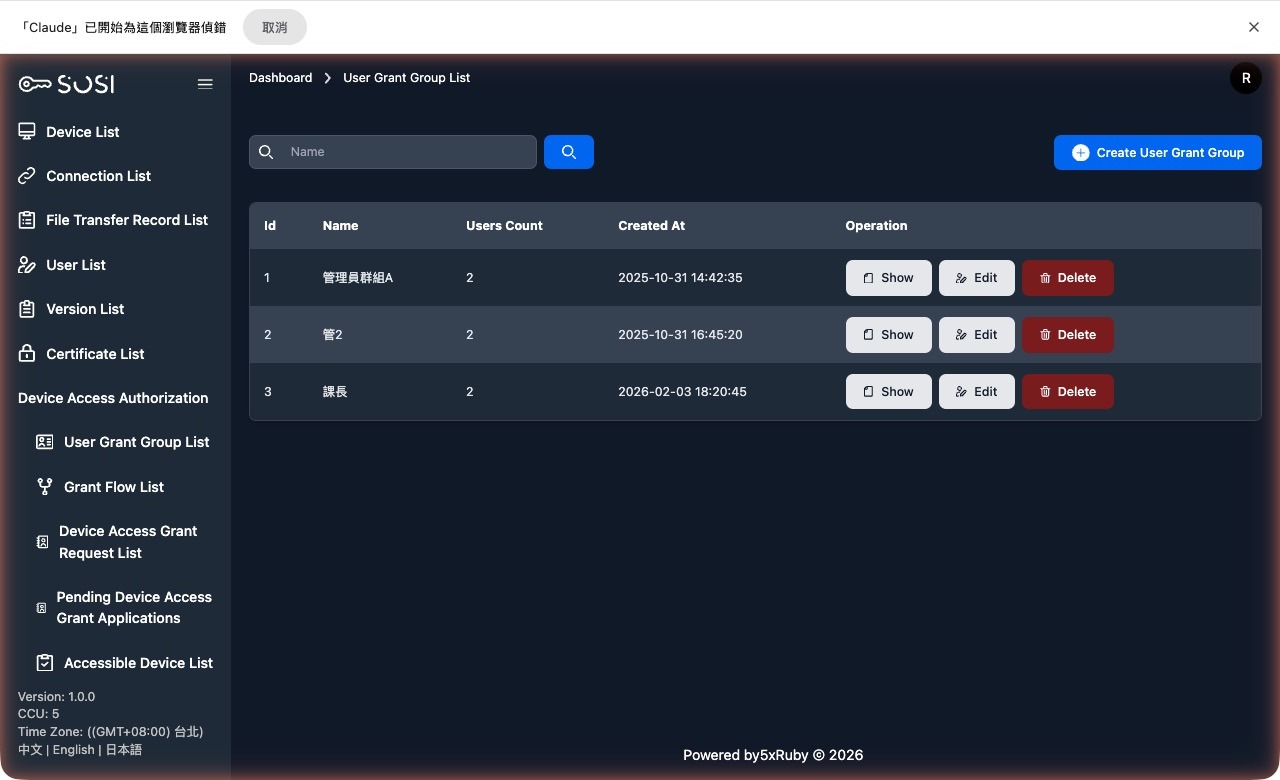
Authorization Group List
Group List
Displays the group ID, name, and creation time.
Group Operations
- Create Group: Add a new user authorization group.
- Edit Group: Modify the group name.
- Delete Group
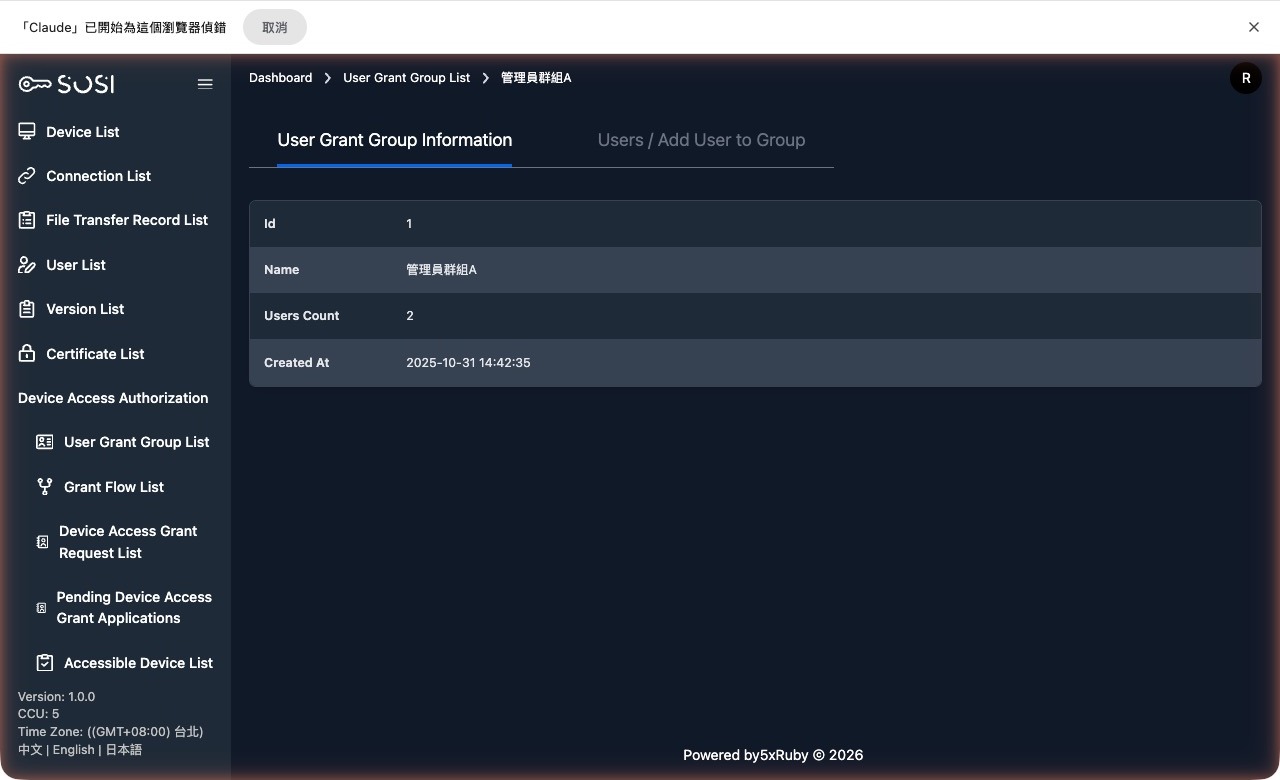
View Group
- Group Information
- Add User: Restricted to administrators only
Connection Authorization Requests
Administrators can manage the following through the “Device Connection Authorization” tabs in the left navigation:
- Create Authorization Request [Authorized Device Overview]
- View Authorization Requests [Authorization Request Overview]
- Approve or Reject Requests [Pending Authorization Requests]
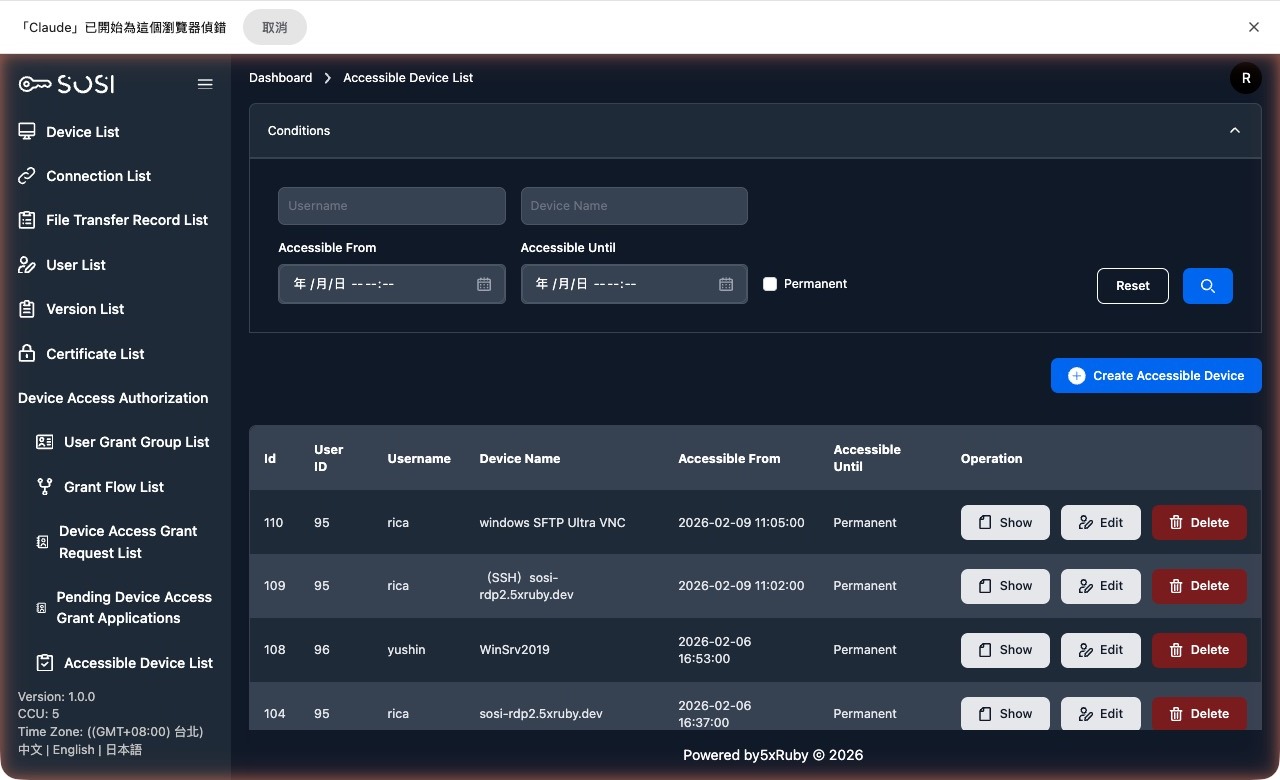
Authorized Device Overview
Administrators can use this interface to view a snapshot of all current authorizations and create new user connection authorizations.
Search Criteria
Supports filtering by “User Account”, “Device Name”, “Authorization Start/End Time”, and “Permanent Authorization” status.
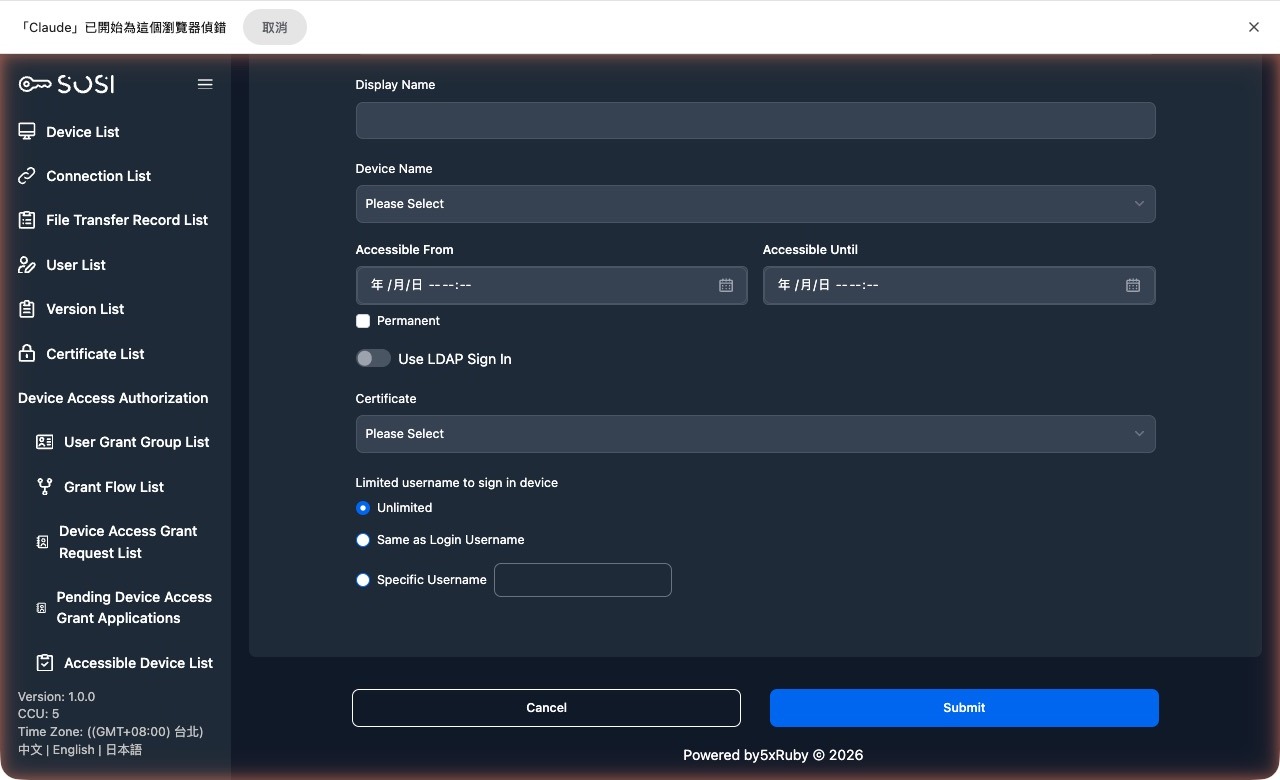
Create and Edit Connection Authorization
In the Authorized Device Overview, click the “Create Device Connection Authorization” button, or click the edit icon under “Actions” in the list.
Select the user account, device name, and authorization credential to configure.
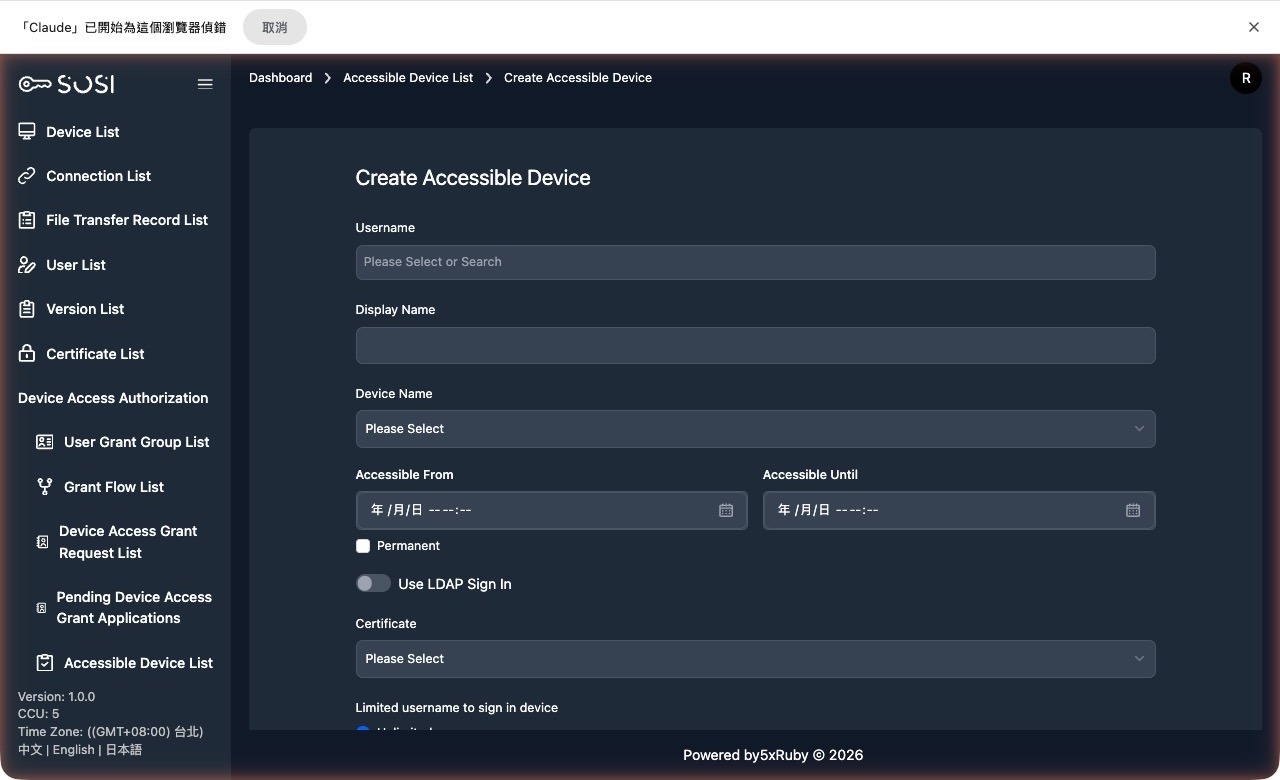
If no authorization credential is assigned, users will need to manually enter the remote host’s username and password when establishing a connection.
Field Descriptions
When creating or editing a connection authorization, the following key fields must be configured:
User and Target:
- User Account: Select the user to authorize.
- User Name: The system automatically displays the corresponding name based on the selected account.
- Device Name: Select the target device for the connection.
Connection Validity Period:
- Authorization Start/End Time: If not set to permanent, define the start and end times during which the connection is allowed.
- Unlimited Connection Time: Enabling this option sets the authorization to “permanent”. The “Authorization End Time” field becomes read-only and no date is displayed.
Enhanced Identity Verification:
- Authorization Credential: Bind this authorization to an existing credential. If a credential is bound, the “Restrict Connection Login Account” option is automatically set to “No Restriction”.
- Restrict Connection Login Account: Provides the following three flexible options:
- No Restriction: When no credential is set, the user enters their own host account credentials.
- Same as User Account: When no credential is set, the system automatically uses the user’s SOSI account to log in to the device.
- Specific User Account: When no credential is set, the system enforces login using the specific account entered here.