
Site Settings
Site Settings provide global parameter configuration that affects overall system behavior, including the following management modules.
Two-Factor Authentication
If the administrator enforces site-wide two-factor authentication in Site Settings, all users will be required to enter a 2FA code upon login.
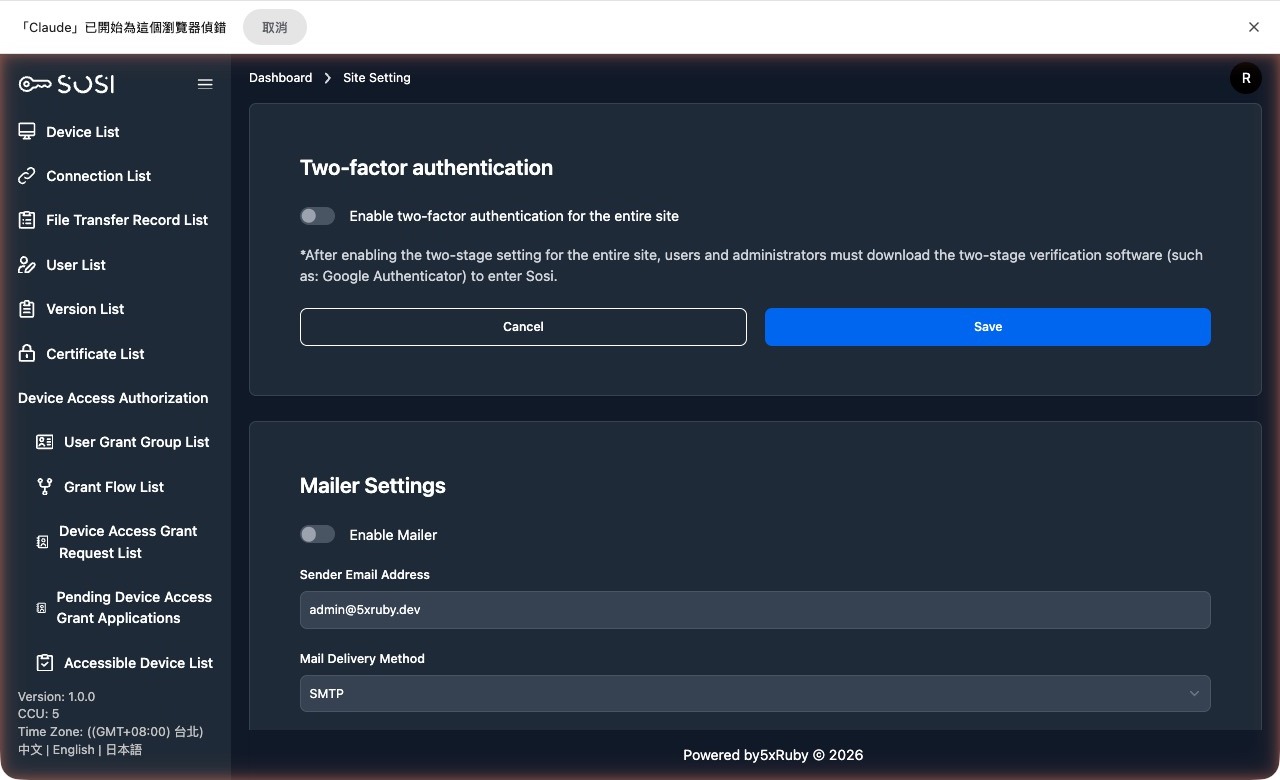
New accounts inherit automatically: Accounts created after site-wide 2FA enforcement is enabled automatically adopt the current site setting.
If your system was upgraded from an older version, review the accounts created after enforcement was turned on and confirm they are all covered.
Account Lockout Settings
Administrators can configure the automatic unlock time for locked accounts (lockable_unlock_in). When a user is locked out due to excessive password failures, the system will automatically unlock the account after the specified duration.
Email Settings
Email settings form the foundation for SOSI’s automated notification delivery. Administrators must correctly configure the SMTP server here to enable the following core services:
Core Function Scenarios
- Account Recovery: Sends “Forgot Password” reset links and “Account Locked” unlock notification emails.
- Audit Notifications: Automatically notifies relevant personnel to download recordings once transcoding and packaging are complete.
- Connection Test: Provides a “Send Test Email” function to instantly verify email server connectivity.
Recipient Address Sources
- Local Accounts: Manually entered by the administrator in the User List.
- LDAP/AD Accounts: Automatically synced from the enterprise directory based on email attributes configured in Domain Settings.
Recording Settings
Recording Retention Days
Set the processed_recording_retention_days global variable to specify how many days processed recordings are kept. The system periodically purges recordings that exceed the retention period to save storage space. Set to 0 to disable automatic purging.
Mandatory Recording
Administrators can enforce recording functionality through the following global toggles:
| Setting | Description |
|---|---|
Force Graphical Session Recording (session_recording_always_enabled) |
When enabled, all connections will have screen recording forced |
Force Keystroke Logging (include_keys_always_enabled) |
When enabled, all connections will have keystroke logging forced |
Recording Quality and Resolution
The recording settings block has two parameters that directly affect recording file size.
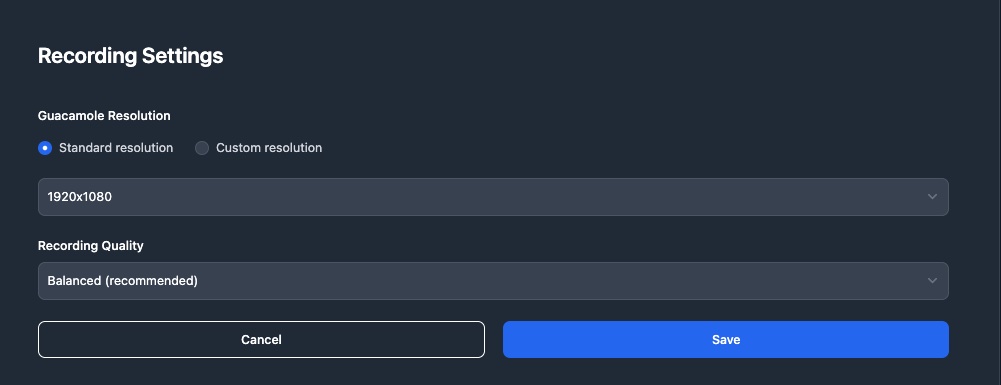
Guacamole Resolution sets the frame size of the transcoded recording. It can be entered two ways:
- Standard resolution: Pick a common size from the dropdown (1280x720, 1366x768, 1600x900, 1920x1080, 2560x1440, 3840x2160).
- Custom resolution: Type your own
width x height; the format is validated on save.
This value is passed straight into the transcoding command, so a malformed value makes the conversion fail. The dropdown removes that class of typo; if you do need a custom value, the format is checked before it is saved.
Recording Quality offers three levels for trading image quality against storage:
| Option | Description |
|---|---|
| High quality (largest files) | Best image quality, largest files |
| Balanced (recommended) | The default. Almost indistinguishable from high quality on remote desktop content, with noticeably smaller files |
| Space saving | Smallest files, visibly softer image |
Why is the default “balanced” rather than “high quality”? A remote desktop is synthetic imagery — large flat areas, text, and none of the noise of real-world video. On that kind of content the extra data the highest quality spends is almost invisible, while the files grow considerably.
This setting applies only to recordings made from now on. Existing MP4 files were produced with the previous parameters. To shrink those as well, ask your system administrator to run the re-encoding maintenance task.
FFmpeg Transcoding Settings
Administrators can adjust FFmpeg transcoding parameters (ffmpeg_variable) in Site Settings to control the quality and performance of recording transcoding.
Automatic MP4 Conversion
A site-wide switch (enabled by default) controls whether each recording is converted to an MP4 when the session ends.
- Enabled: Every session produces an MP4 that can be downloaded at any time, at the cost of storing each session twice.
- Disabled: No MP4 is produced automatically, and storage grows far more slowly. When a specific recording needs to be taken away, an administrator can click Convert to MP4 on the connection log; a notification is sent as soon as it is ready.
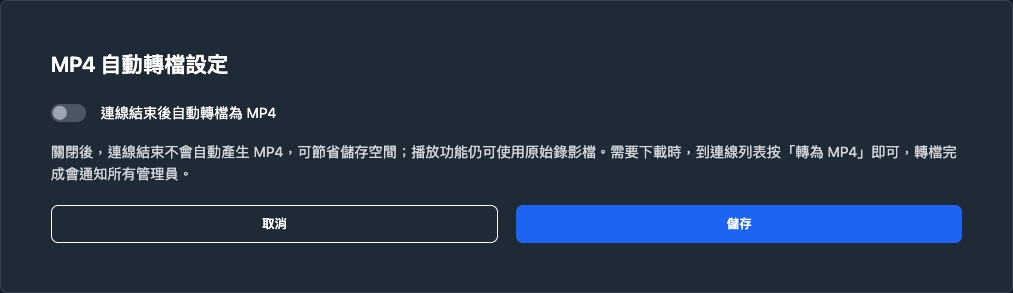
Playback is unaffected. Online playback reads the original recording file, so every session can still be played, seeked and inspected alongside its keystroke log regardless of this switch.
Recording Concurrency and Disk Threshold
- Concurrency: Set the maximum number of concurrent recording processing jobs.
- Disk Threshold: Set the minimum disk free space percentage. When disk space falls below this threshold, recording processing will be paused, and a disk space warning will be issued.
Disk Usage
Below the disk section, read-only cards show the actual capacity of each path (the recording path, plus the storage path when local storage is used):
- Each card shows the path, the usage percentage, and a progress bar.
- The progress bar is colour-coded by usage: blue below 70%, amber at 70% or above, red at 85% or above.
- Used / Available / Total (GB) are shown as three columns underneath.
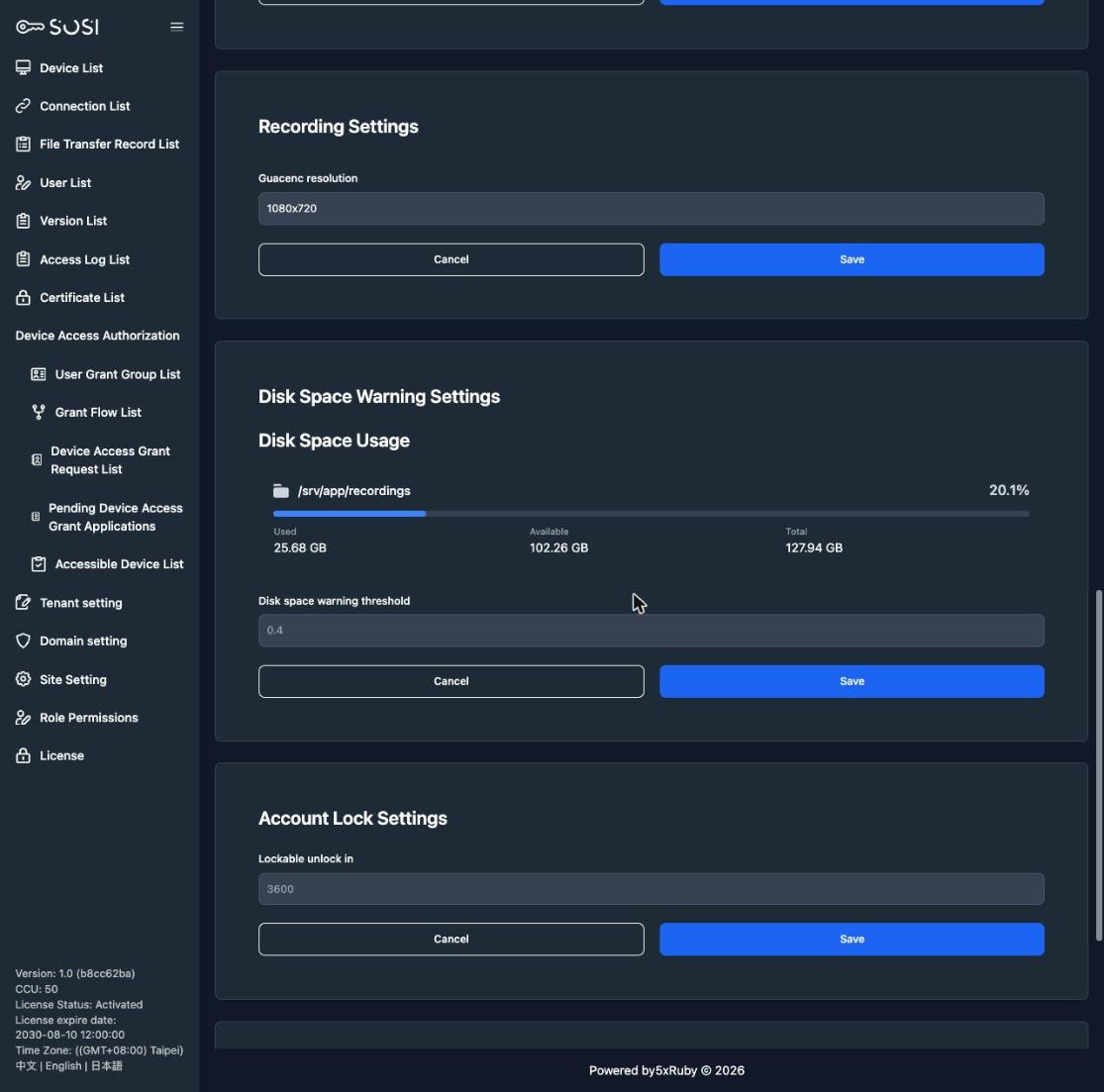
This section is informational only; disk settings cannot be changed here.
When it appears: Only paths the system can actually read are listed. If no cards appear at all, the container serving the site cannot reach the recording path (for example the storage is not mounted); in that state the disk space warning does not work either, so ask your system administrator to check the deployment.
Recording Download Settings
Encrypted recording download is a deployment-level setting, not part of the Site Settings page. It is set when the system is deployed and requires a redeploy to take effect:
| Setting | Description |
|---|---|
enable_connection_recording_download |
Whether encrypted download is available. When disabled, the “Download Encrypted Recording” action does not appear on connection records |
connection_recording_download.cleanup_after_days |
Retention period for encrypted files; a scheduled job removes expired files and resets their state |
See Security Audit for the download workflow itself.
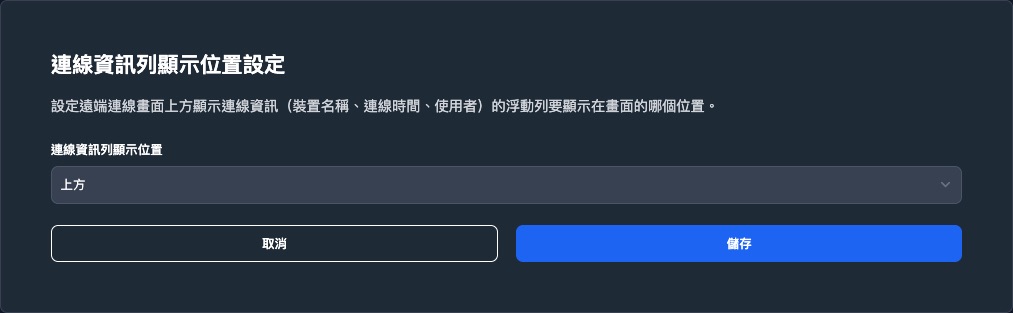
Connection Info Bar Position
The floating info bar on the remote desktop screen (device name, connection time, user name) is docked at the top by default and can be moved to the top, bottom, left or right.
Use this when the target system has its own toolbar along the top edge and the two overlap.
Device List Page Size
Sets how many devices are shown per page on the device list (/devices). The table and card layouts are configured separately.
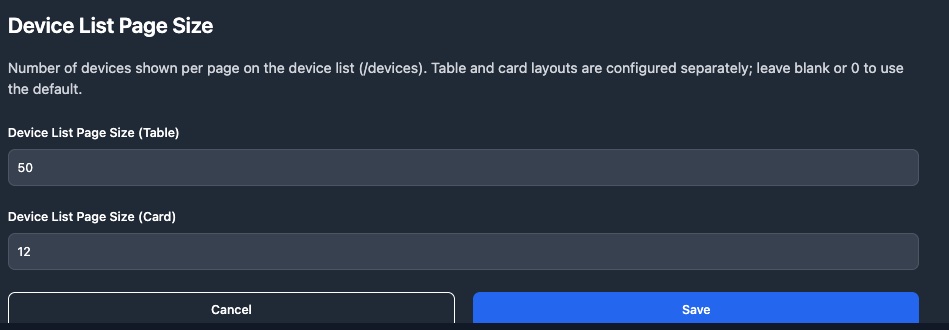
Leaving a field blank or entering 0 uses the default (50 for table, 12 for cards). The layout itself is determined by the user’s role — see Device List.
Menu Visibility
File Transfer Logs
Administrators can hide the “File Transfer Logs” item from the sidebar (shown by default). When hidden, the entry disappears for both administrators and regular users.
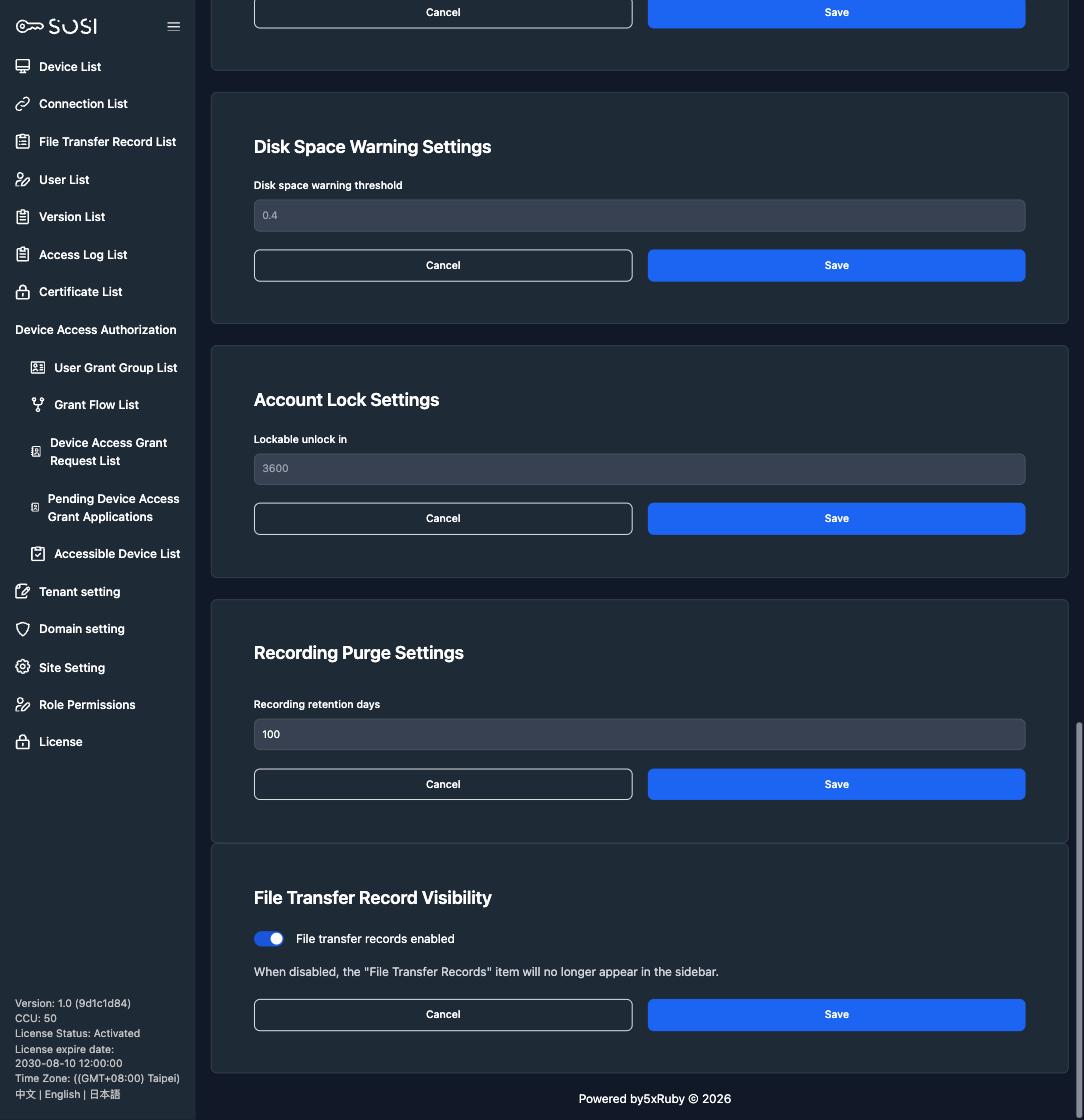
This toggle only controls menu visibility; file transfer logs are still recorded and retained.