
Domain Settings
Domain List
Domain Settings support both LDAP and OIDC SSO (e.g., GoTrust) authentication providers. Administrators can add and manage different types of authentication domains.
Administrators can view all authentication domain configurations in the system.
- List Information: Includes domain ID, name, type, creation time, and sort order.
- Sort Order Importance: The list order directly determines the display order of authentication methods in the login page dropdown menu.
- Search Function: Supports domain name search — enter keywords to quickly find specific domains.
Actions:
- View / Edit / Delete
- Sync Domain Users
- Bind Test
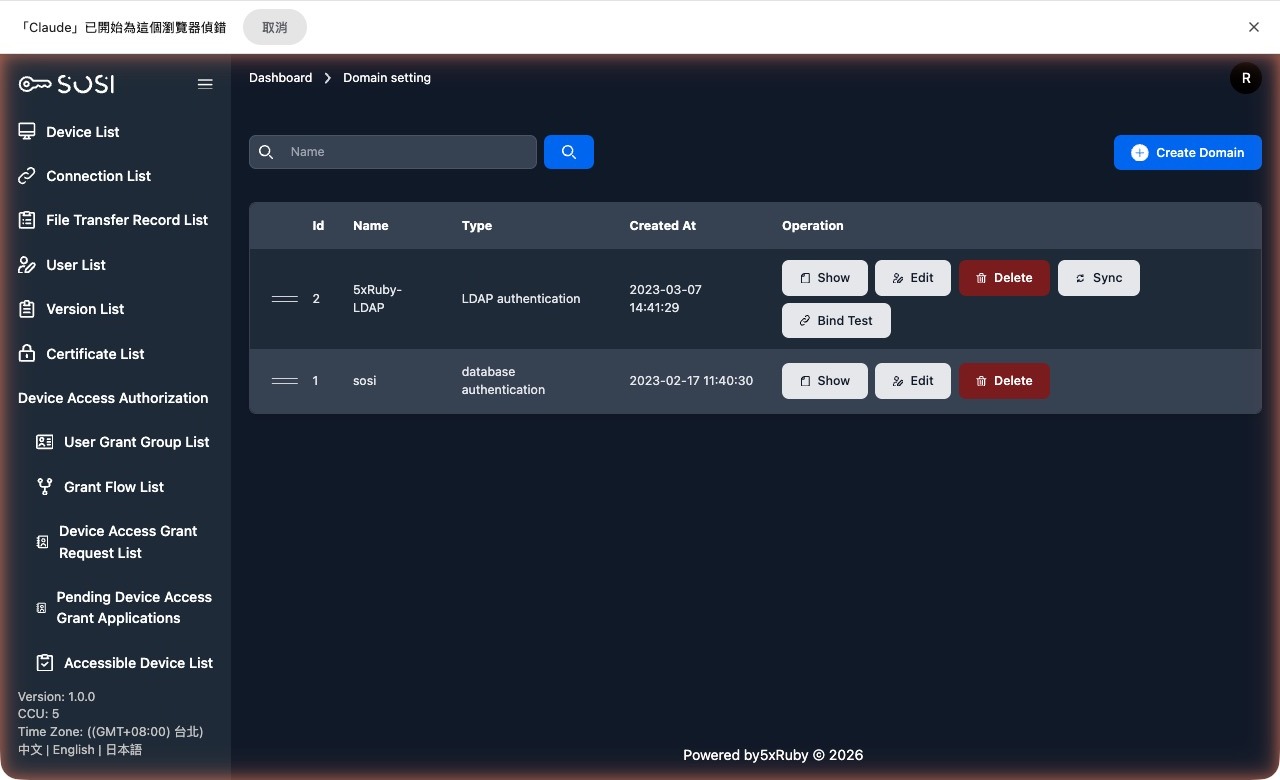
Add Domain
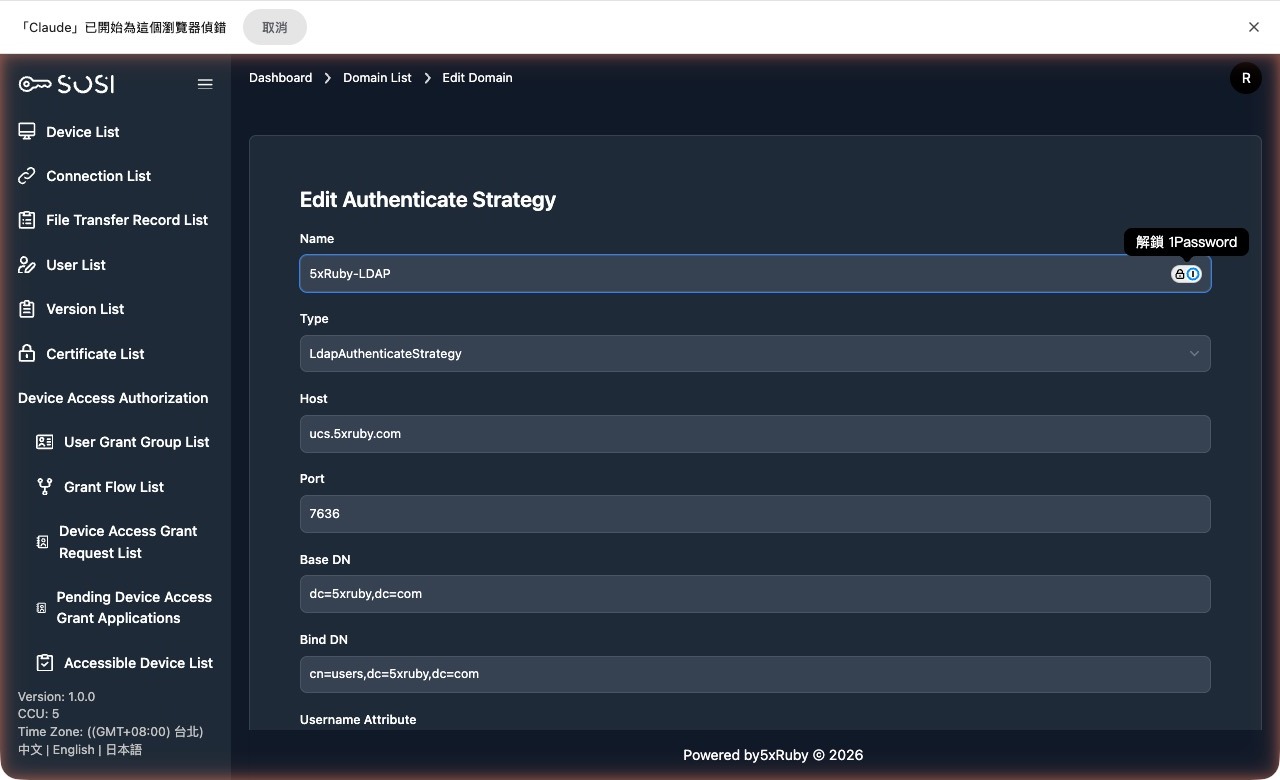
When adding or editing a domain, configure the following fields:
Basic Information
- Domain Name: The display name of the domain.
- Type: Two options are available:
- LdapAuthenticateStrategy: For LDAP or Microsoft Active Directory.
- DatabaseAuthenticateStrategy: SOSI’s built-in username/password authentication.
- OidcAuthenticateStrategy: An OIDC SSO provider (such as GoTrust).
LDAP Connection Settings
| Field | Description |
|---|---|
| Server | IP or hostname of the LDAP server |
| Port | Connection port number |
| Base DN | The Base DN string used by the LDAP server |
| Bind DN | The Bind DN string used by the LDAP server |
| User Account Attribute | The LDAP attribute name used for authentication |
| User Display Name Attribute | The attribute field for the user’s display name |
| Email Attribute | The attribute field for the user’s email address |
| Authentication Method | Choose between “simple” and “anonymous” |
TLS and Encryption Settings
TLS Verification Method: Four options are available, depending on the LDAP server’s supported methods:
- VERIFY_NONE
- VERIFY_PEER
- VERIFY_FAIL_IF_NO_PEER_CERT
- VERIFY_CLIENT_ONCE
Encryption Method: Options include “None”, “simple_tls”, and “start_tls”.
- SSL Certificate: If the encryption method is not “None”, you may enter the SSL certificate. This field is encrypted.
- SSL Key: If the encryption method is not “None”, you may enter the SSL key. This field is encrypted.
Advanced Settings
Identity Object Format: Two options are available:
- Distinguished Name
- User Principal Name
Filter Conditions:
- User Filter: The filter string used to authenticate general users on the LDAP server.
- Admin Filter: The filter condition used to authenticate administrators on the LDAP server.
Sync Settings:
- Sync Account: The LDAP server user account used for the sync function.
- Sync Account Password: The password for the LDAP sync account. This field is encrypted.
LDAP Settings Detection
LDAP has many fields and filling them in correctly requires directory-service knowledge; a wrong value is hard to diagnose. The form provides a “Detect settings” action that probes the server and fills in suggested values.
Steps
- Enter the LDAP server hostname (port and sync credentials are optional).
- Click “Detect settings”. The system tries 636 (simple_tls), then 389 (start_tls), then 389 (plaintext) to find a usable connection method, and reads server information to suggest the base DN, encryption method, and account attributes.
- If sync credentials were supplied and the bind succeeds, the system lists the available groups. Tick the groups you want to authorize and the matching user filter and admin filter are generated for you — no hand-written LDAP filters.
- Review the suggested values, adjust them if needed, and save.
Diagnostics: If the connection on port 636 is reset, the system points out that the server may be missing an LDAPS certificate, rather than reporting a credential or configuration error.
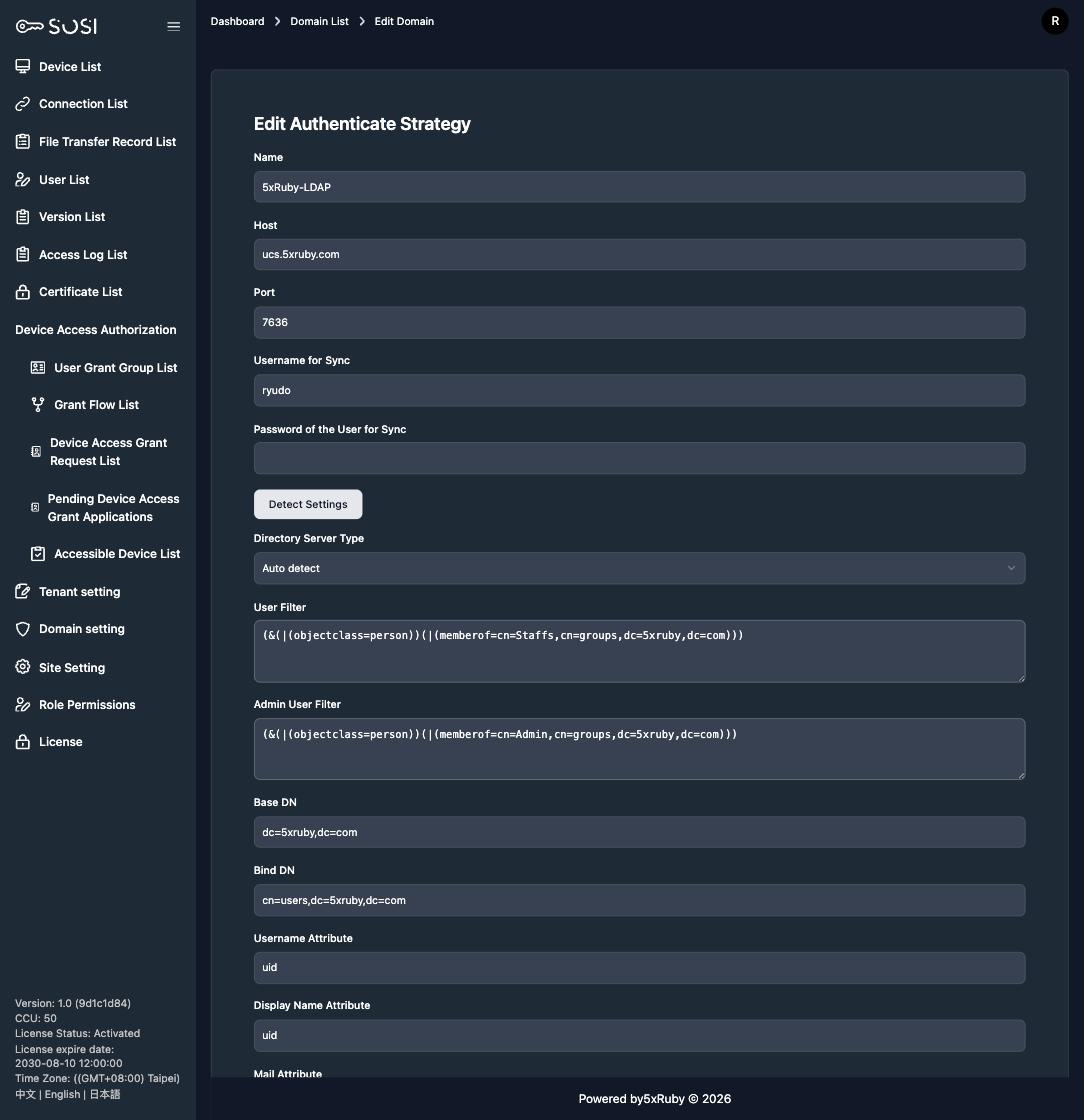
Detected values are suggestions only. Confirm they match your environment before saving.
OIDC Connection Test
For an OIDC domain, click “Test connection” in the list to verify the configuration without waiting for a real user to sign in.
- Click “Test connection” to open the dialog.
- Enter a test username and password.
- The system first validates the discovery document, then exchanges the credentials with the OIDC provider for a token, and reports the result.
Common results:
| Result | Meaning |
|---|---|
| Connection succeeded, issuer shown | The configuration is correct |
| Discovery failed (issuer mismatch) | The issuer returned by the provider differs from the configured issuer URL; fix the setting |
| Credential validation failed | The configuration is correct, but the test username or password is wrong |
The test credentials are used only for that request and are never stored in the database.
Password Expiry Reminder Threshold
An LDAP / AD domain can set the number of days before expiry at which users see a password expiry reminder banner after signing in. The default is 0, meaning no reminder. See Login and Account Security.