
Credential Settings
Credential List and Management
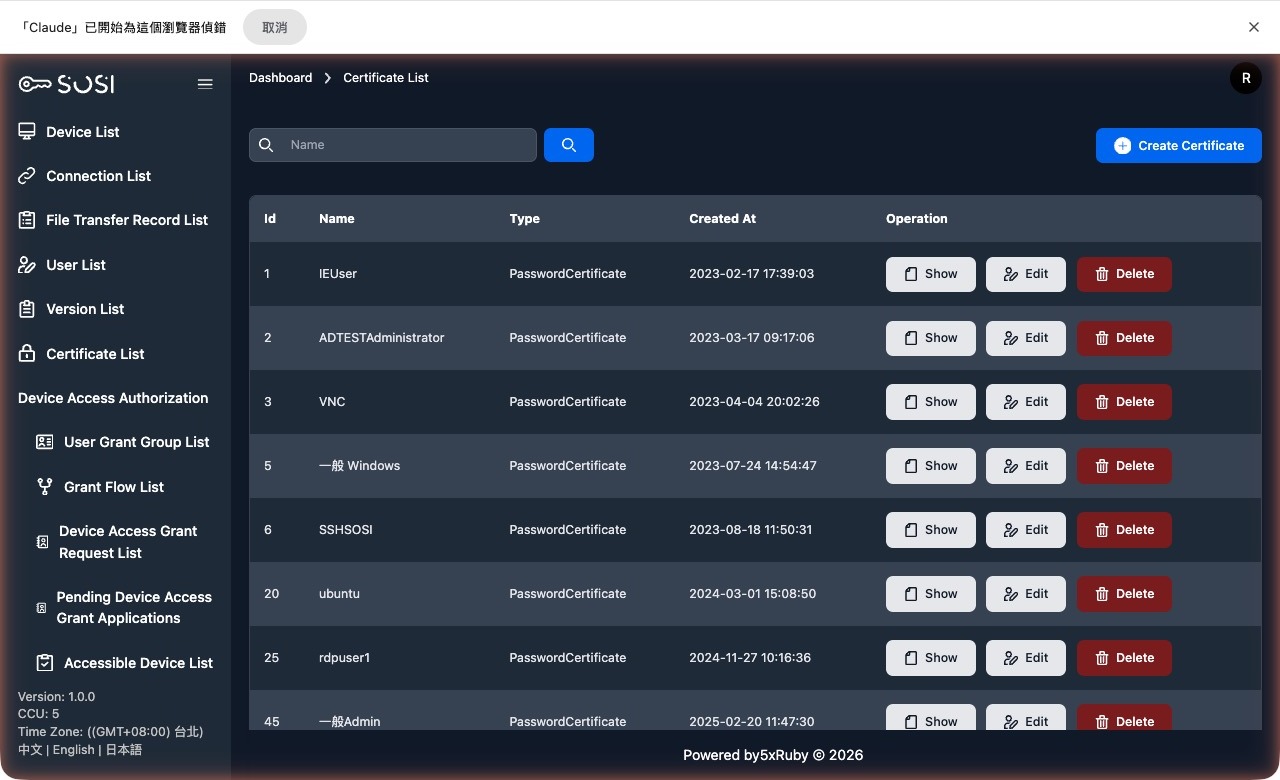
Credential List Information
The table displays the credential ID, display name, credential type, and creation time.
Search Function
Administrators can enter credential name keywords to quickly filter and search for relevant results.
Basic Operations
Create Credential: Click “Create Credential” on the list page and enter the required information.
The system provides the following credential types based on different login requirements:
- Password Certificate
- PrivateKey Certificate
View Credential: Review the credential’s detailed information, including display name, type, account, and creation time.
Edit Credential: Modify existing credential information.
Delete Credential: Remove credentials that are no longer in use from the system.
View Credential
Add Authorized Device (Administrators Only)
Administrators can use the dropdown menu here to select or search for devices to authorize for this credential, then click submit to complete the authorization.
