Domain Settings
Domain List
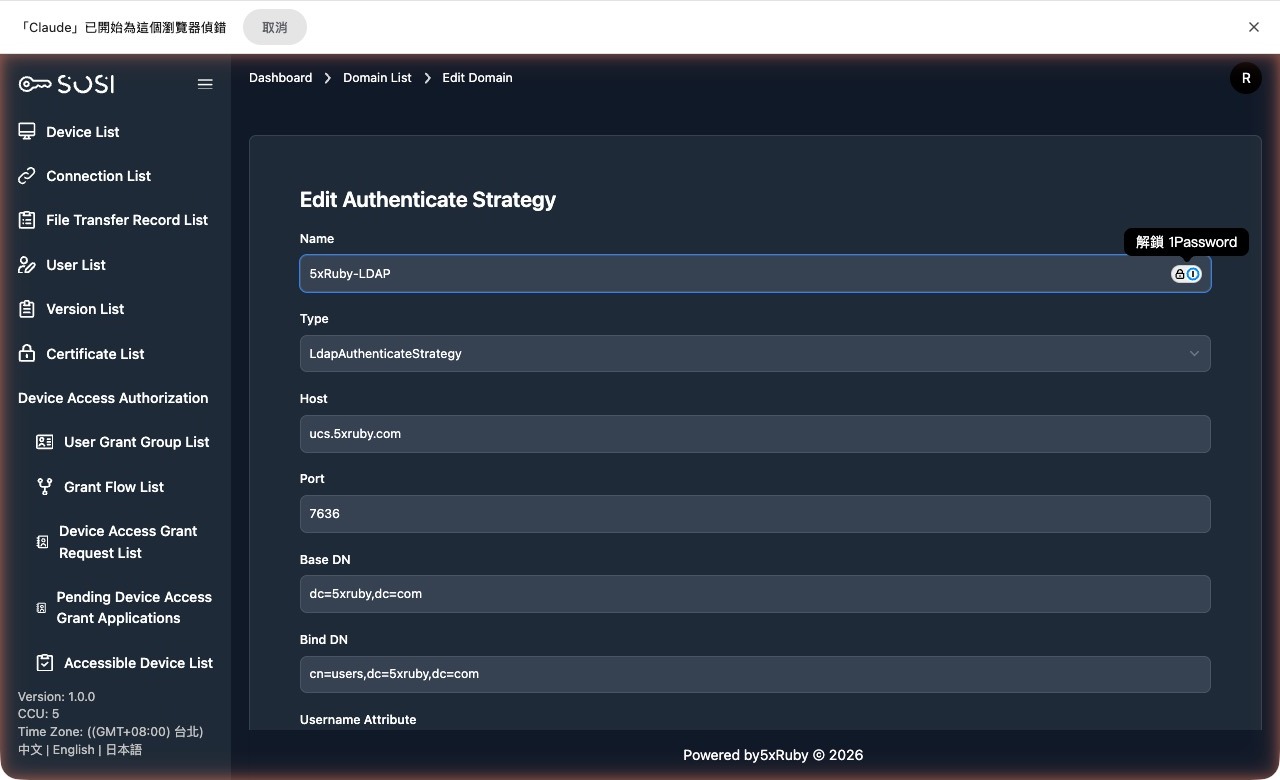
Administrators can view all authentication domain configurations in the system.
- List Information: Includes domain ID, name, type, creation time, and sort order.
- Sort Order Importance: The list order directly determines the display order of authentication methods in the login page dropdown menu.
- Search Function: Supports domain name search — enter keywords to quickly find specific domains.
Actions:
- View / Edit / Delete
- Sync Domain Users
- Bind Test
Add Domain
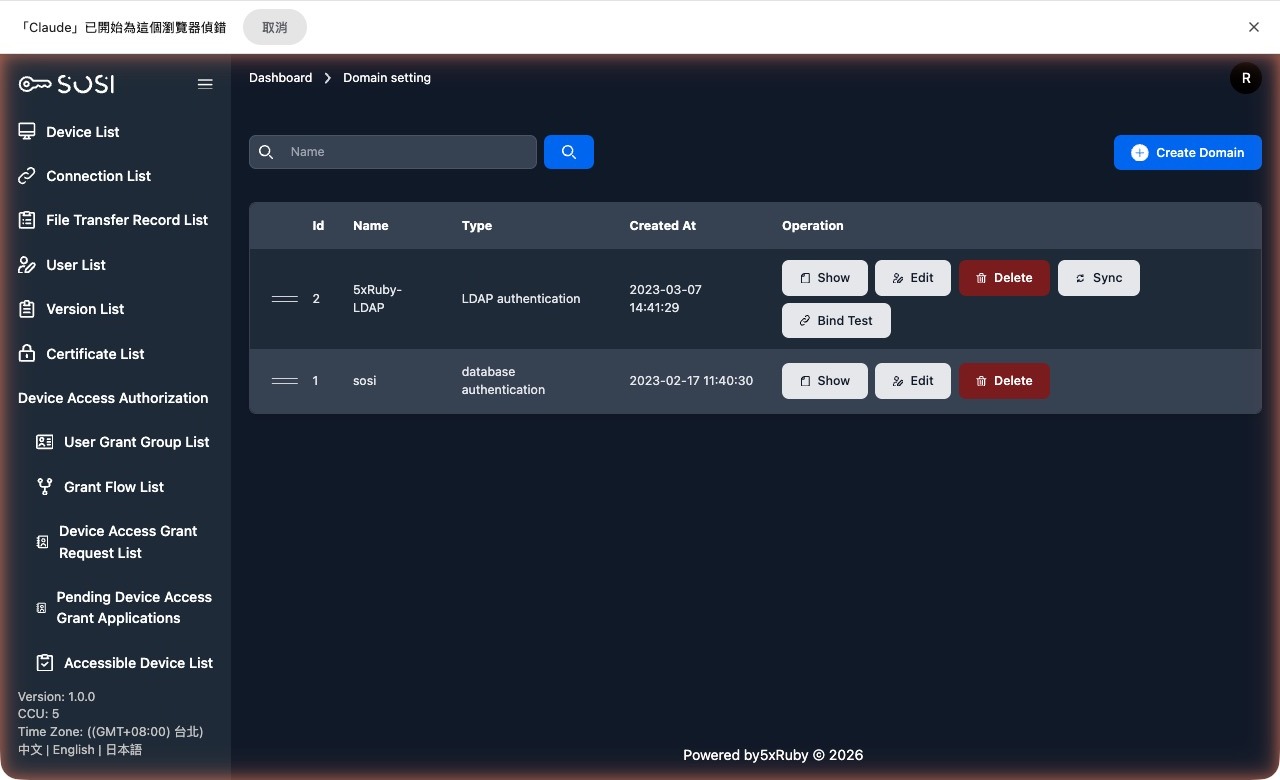
When adding or editing a domain, configure the following fields:
Basic Information
- Domain Name: The display name of the domain.
- Type: Two options are available:
- LdapAuthenticateStrategy: For LDAP or Microsoft Active Directory.
- DatabaseAuthenticateStrategy: SOSI’s built-in username/password authentication.
LDAP Connection Settings
| Field | Description |
|---|---|
| Server | IP or hostname of the LDAP server |
| Port | Connection port number |
| Base DN | The Base DN string used by the LDAP server |
| Bind DN | The Bind DN string used by the LDAP server |
| User Account Attribute | The LDAP attribute name used for authentication |
| User Display Name Attribute | The attribute field for the user’s display name |
| Email Attribute | The attribute field for the user’s email address |
| Authentication Method | Choose between “simple” and “anonymous” |
TLS and Encryption Settings
TLS Verification Method: Four options are available, depending on the LDAP server’s supported methods:
- VERIFY_NONE
- VERIFY_PEER
- VERIFY_FAIL_IF_NO_PEER_CERT
- VERIFY_CLIENT_ONCE
Encryption Method: Options include “None”, “simple_tls”, and “start_tls”.
- SSL Certificate: If the encryption method is not “None”, you may enter the SSL certificate. This field is encrypted.
- SSL Key: If the encryption method is not “None”, you may enter the SSL key. This field is encrypted.
Advanced Settings
Identity Object Format: Two options are available:
- Distinguished Name
- User Principal Name
Filter Conditions:
- User Filter: The filter string used to authenticate general users on the LDAP server.
- Admin Filter: The filter condition used to authenticate administrators on the LDAP server.
Sync Settings:
- Sync Account: The LDAP server user account used for the sync function.
- Sync Account Password: The password for the LDAP sync account. This field is encrypted.