
Site Settings
Two-Factor Authentication
If the administrator enables mandatory site-wide two-factor authentication in the Site Settings, all users will be required to enter a two-factor verification code upon login.
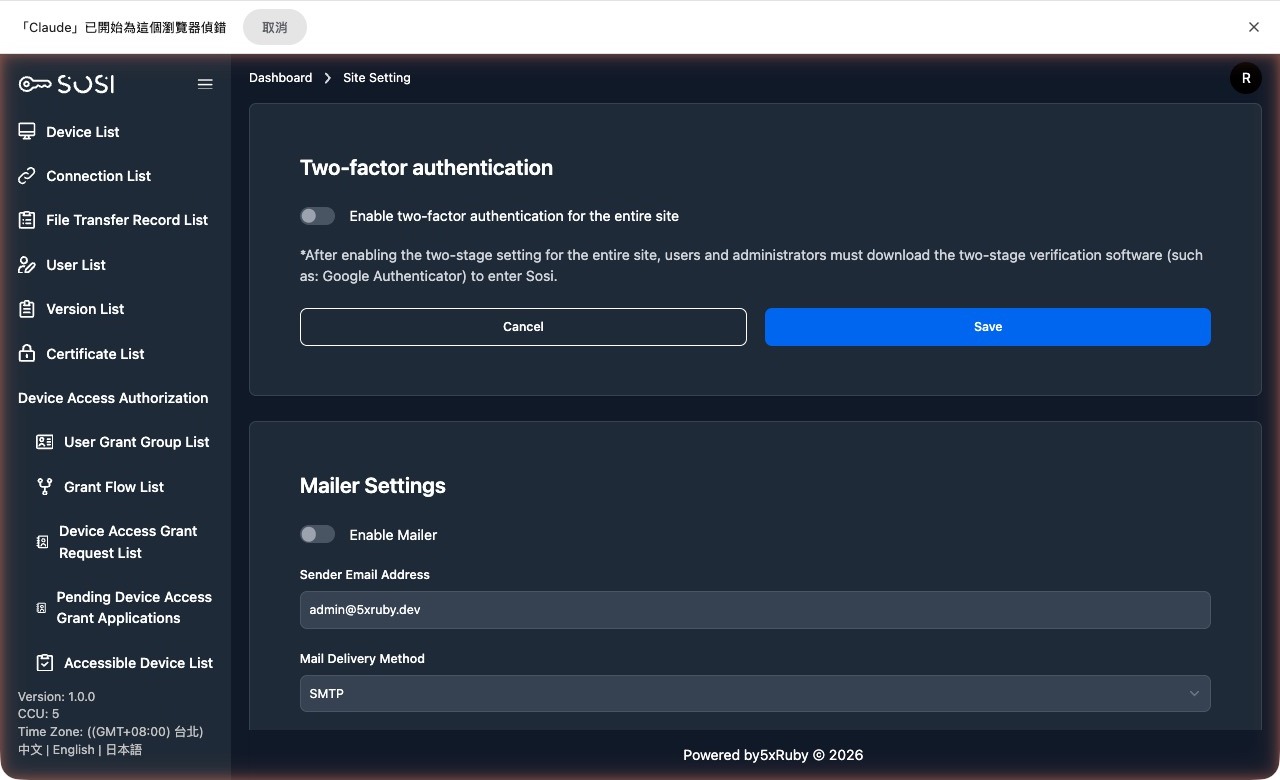
Email Settings
Email configuration is the foundation for SOSI’s automated notification system. Administrators must properly configure the SMTP server here to enable the following core services:
Key Use Cases
- Account Recovery: Sends “Forgot Password” reset links and “Account Locked” unlock notification emails.
- Audit Notifications: Automatically sends email notifications to relevant personnel when connection recording files have been transcoded and packaged for download.
- Connection Test: Provides a “Send Test Email” function to immediately verify whether the mail server connection is working properly.
Recipient Address Sources
- Local Accounts: Manually entered by administrators in the “User List”.
- LDAP/AD Accounts: Automatically synced from the corporate directory based on the email attribute configured in “Domain Settings”.