User List
User Information and List
Search and Filter
Administrators can enter user-related keywords to quickly filter and locate relevant accounts.
List Field Descriptions
The list displays the user ID, authentication method (e.g., LDAP or SOSI), user account, name, role (User/Admin), 2FA enabled status, and last login time.
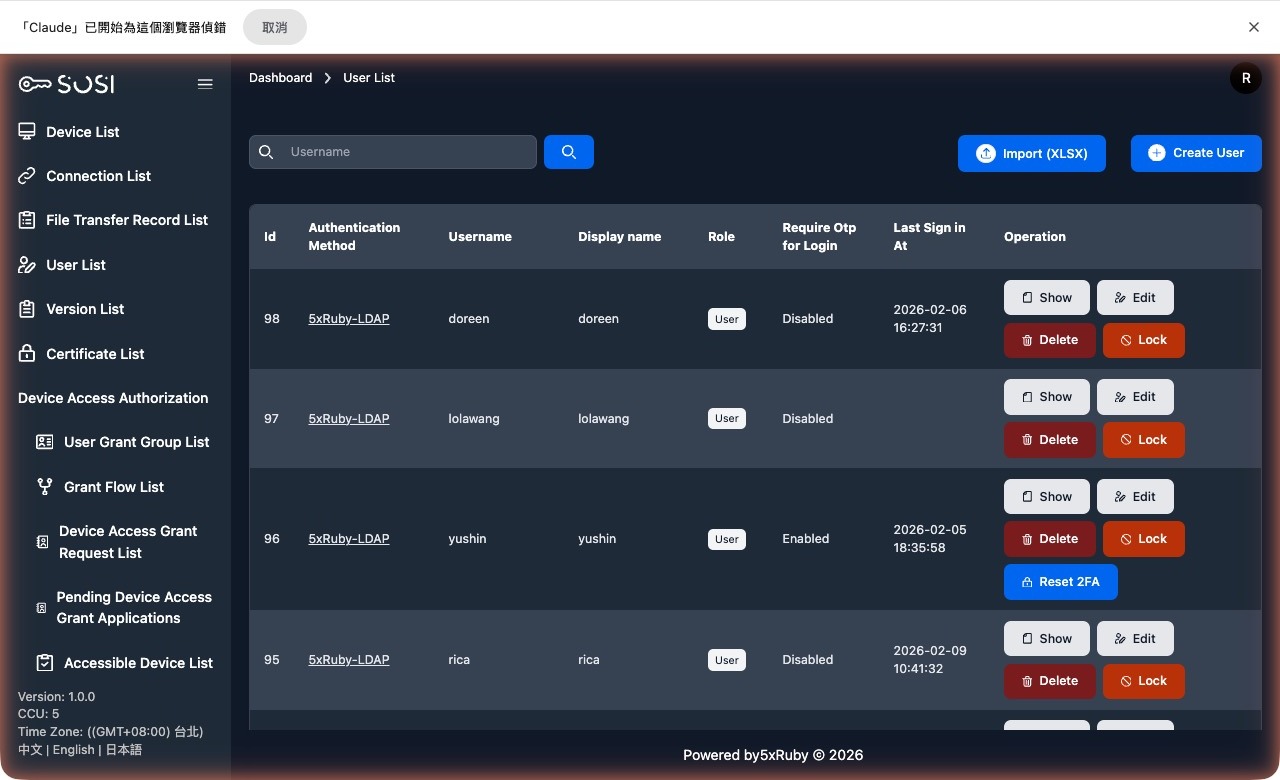
Batch Import
Supports batch creation of user accounts by uploading .xlsx or .csv files.
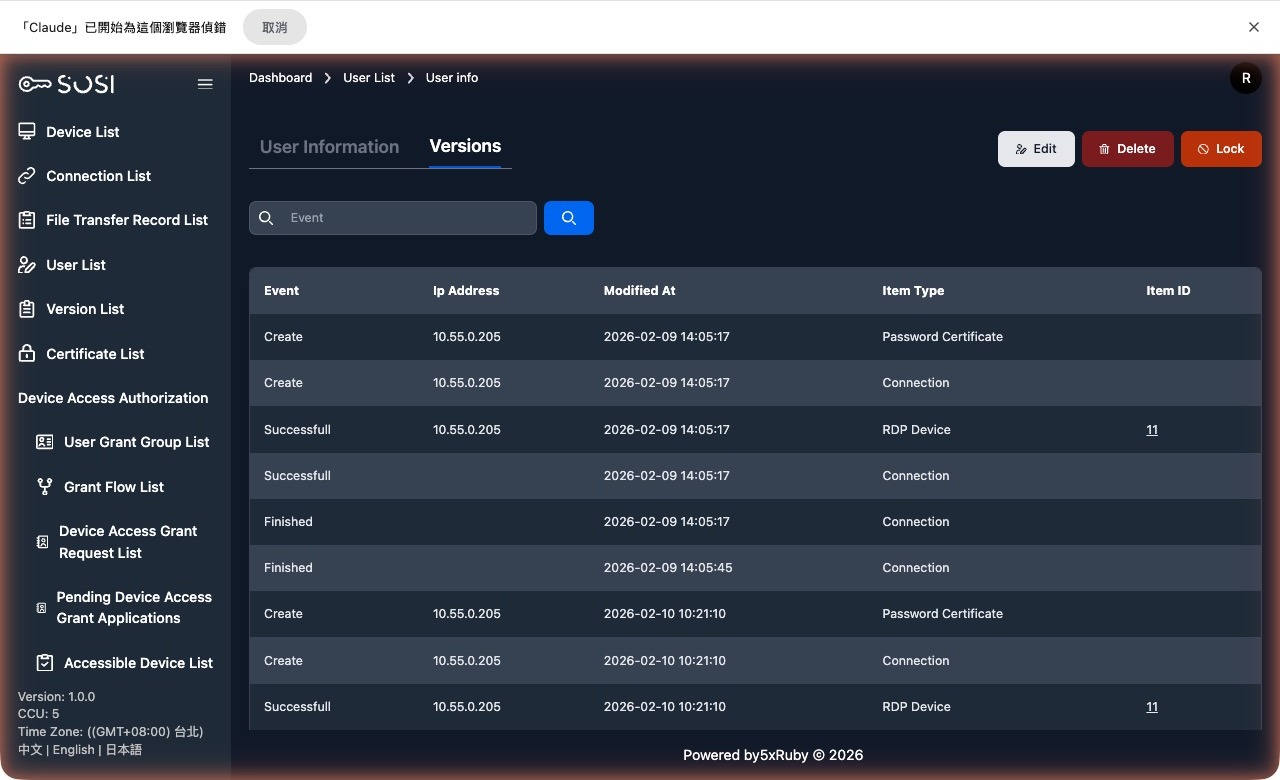
View Records
- User Information: View the user’s configuration details.
- Activity Log: Includes the actions performed by the user, source IP address, update time, item type, and item ID.
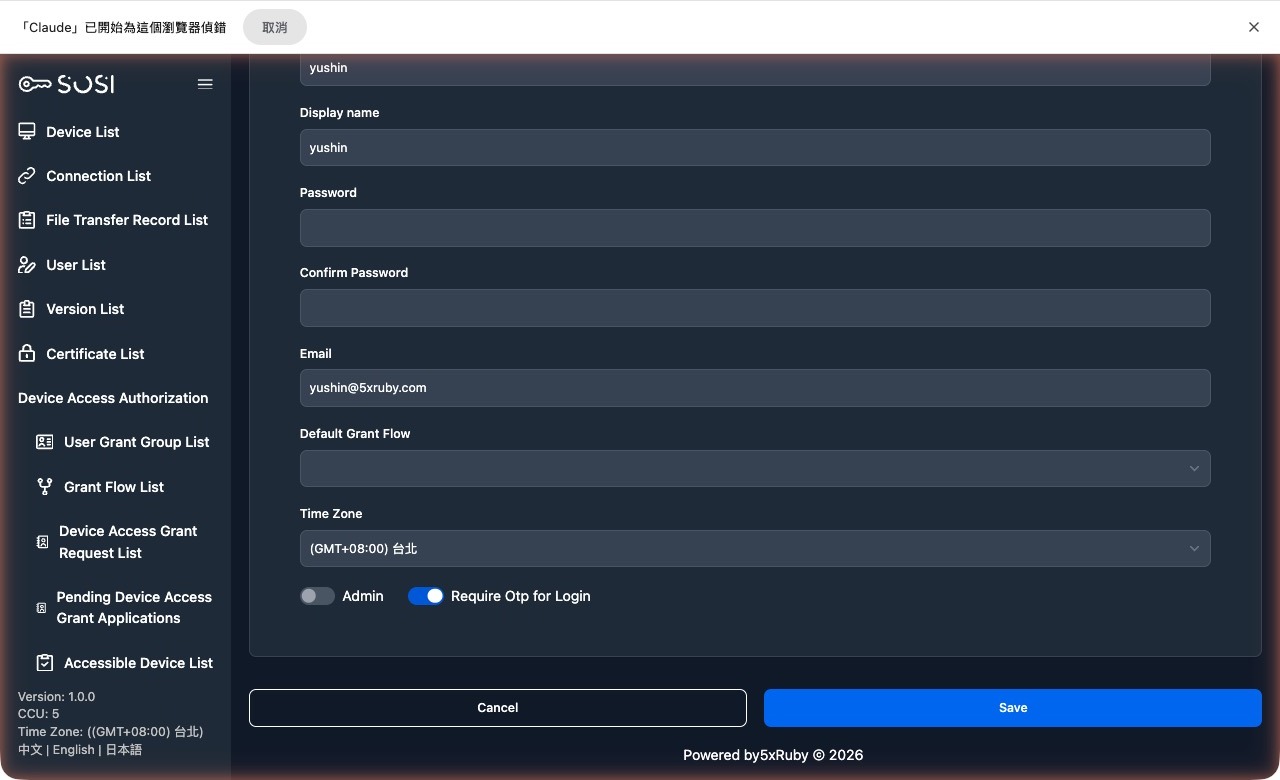
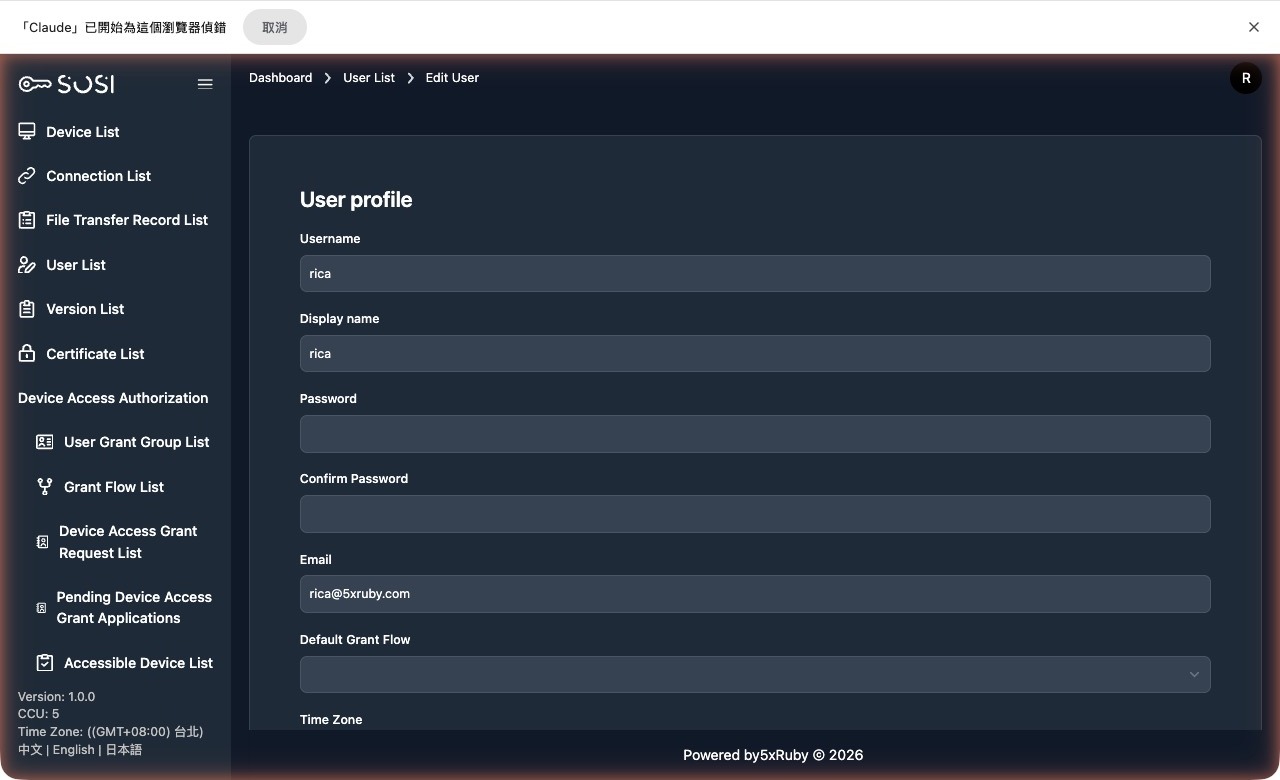
Account Maintenance
Create and Edit: Administrators can manually add users or navigate to the edit page to modify account details, name, email address, role permissions, and timezone settings.
Delete Account: Administrators can remove user accounts that are no longer needed from the system.
Two-Factor Authentication
Enable Settings
This path applies to individual users. To enable 2FA for all users, go to Site Settings.
Reset 2FA Button: If a user has already enabled two-factor authentication but needs to reconfigure it (e.g., due to a lost device), the administrator can click this button to allow the user to set up 2FA again upon their next login.