
RDP Device Settings
RDP Device Settings
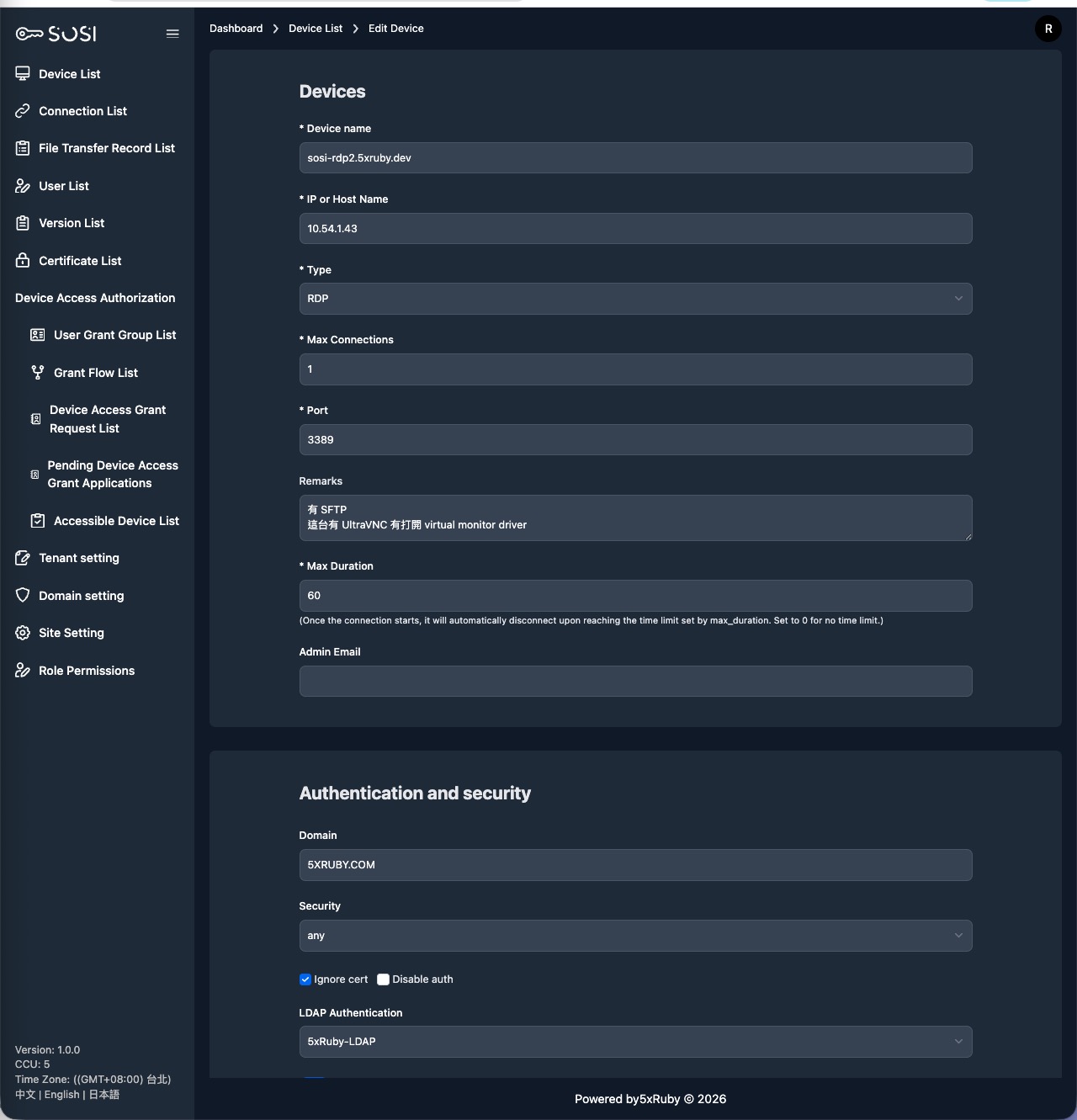
RDP (Remote Desktop Protocol) is a proprietary protocol developed by Microsoft for connecting to Windows remote desktop services. When configuring an RDP device, specific connection parameters must be provided.
Basic Settings
For settings common to all device types, refer to Device List:
- Device Name
- IP / Hostname
- Type: Select RDP
- Max Connections
- Port: RDP default is 3389
- Remarks
- Max Duration
- Admin Email
RDP-Specific Settings
Domain
Specify the domain of the remote Windows host (e.g., 5XRUBY.COM). Required if the target machine is joined to an Active Directory domain.
Security Type
Select the security protocol level for the RDP connection:
| Type | Description |
|---|---|
| any | Auto-negotiate, determined by the server |
| nla | Network Level Authentication, most secure option |
| nla-ext | NLA Extended |
| tls | TLS-encrypted connection |
| vmconnect | Hyper-V VM Connect mode |
| rdp | Standard RDP security layer |
Ignore Certificate
When enabled, the system ignores SSL/TLS certificate checks from the remote server. Note: Only recommended for trusted internal environments.
Disable Verification
When enabled, skips RDP connection identity verification. Note: Disabled by default; enable only in specific scenarios.
Authentication
Select the authentication service for the RDP connection, such as LDAP or other external authentication sources.