
Accessible Device Grants
Accessible Device Grants lists all device connection grants that have completed the approval workflow and are now active. This is the authoritative snapshot of “who can currently access what.”
Grant List
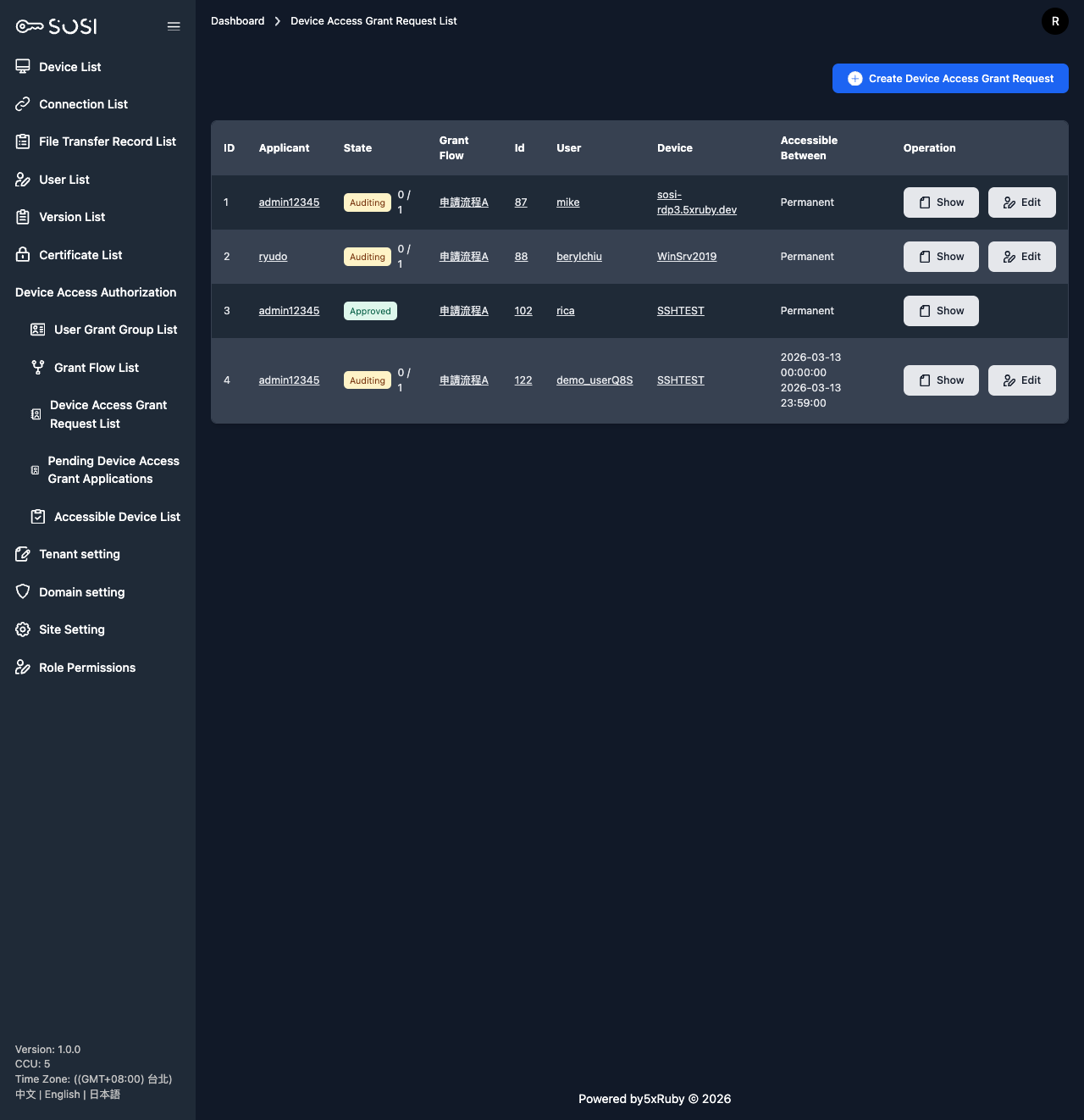
Search and Filter
The following search criteria are supported for precise filtering:
| Filter | Description |
|---|---|
| User Account | Fuzzy search by keyword |
| Device Name | Filter by target device name |
| Authorization Start Time | Filter grants starting after a specific time |
| Authorization End Time | Filter grants expiring before a specific time |
| Permanent Authorization | Filter by whether the grant has no expiration |
List Items
Each grant displays the user account, user name, device name, authorization start time, authorization end time, permanent authorization status, and associated credential information.
Creating a Device Connection Grant
Permission: Only users with the Admin role or corresponding page permissions can create grant applications.
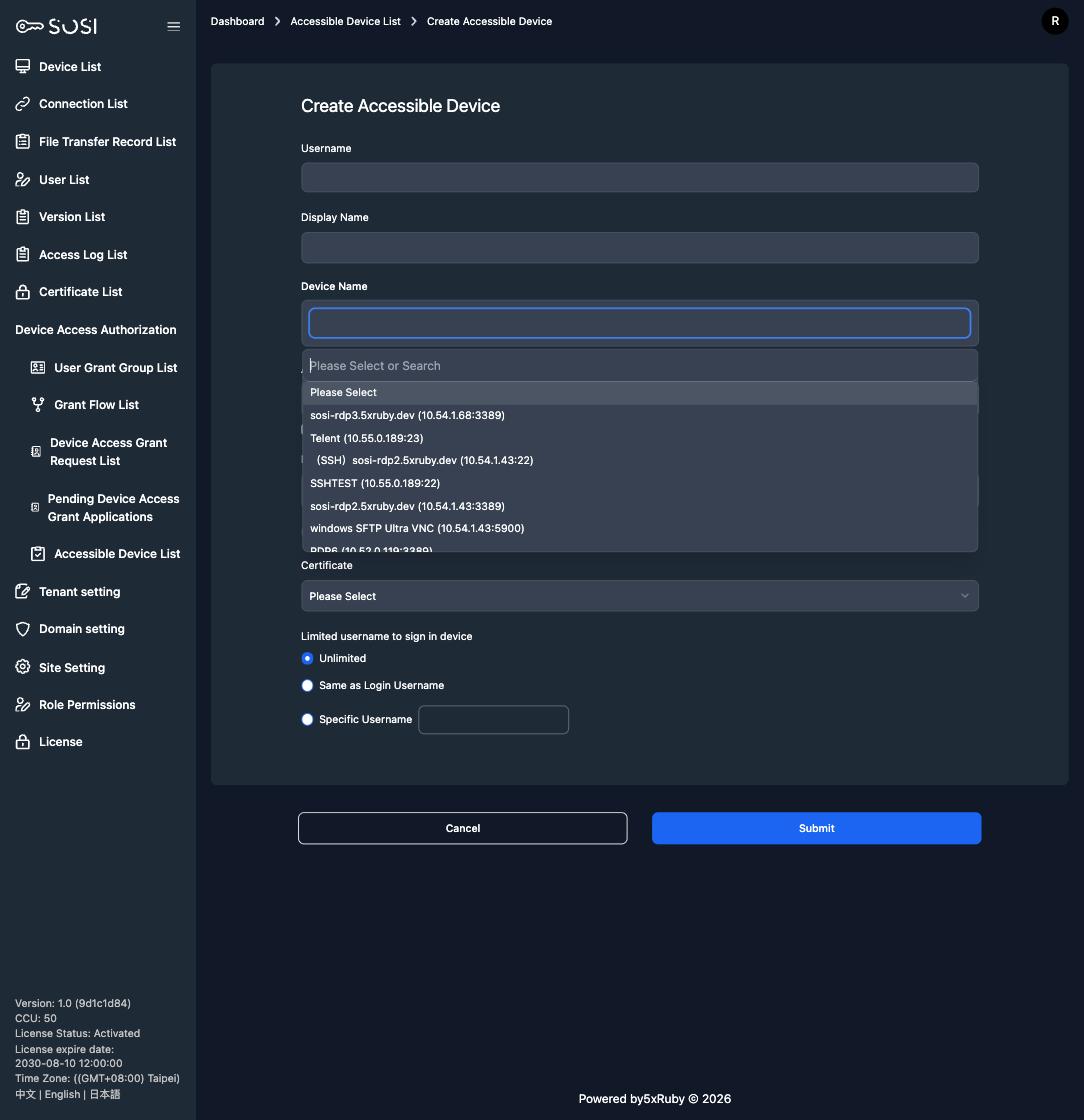
Click the “Create Device Connection Authorization” button to access the creation form. The following information must be configured:
Target
| Field | Description |
|---|---|
| User Account | Select the user to authorize (multi-select supported for batch authorization) |
| User Name | The system automatically displays the name based on the selected account |
| Device Name | Select the target device. The dropdown is searchable and shows each option as “Name (IP:port)”, so you can filter by name, IP, or port (case-insensitive) instead of scrolling through a long list |
Approval Steps
| Setting | Description |
|---|---|
| Grant Group Steps | Select User Grant Groups in order as approval steps (Step 1, Step 2, Step 3…). At least 1 step is required. |
The order of approval steps determines the review execution order. The user can only access the device after all steps have been approved. See Grant Flows for details.
Connection Validity Period
| Field | Description |
|---|---|
| Daily Access Time | Set the allowed access time window (e.g., 09:00–18:00). Users cannot connect outside this window. |
| Authorization Start Time | If not permanent, define when the authorization begins. |
| Authorization End Time | If not permanent, define when the authorization expires. |
| Unlimited Connection Time | Enable to set the grant as “permanent”. The end time field becomes read-only and displays no date. |
Enhanced Identity Verification
| Field | Description |
|---|---|
| Authorization Credential | Bind this grant to an existing credential. If a credential is bound, “Restrict Connection Login Account” is forced to “No Restriction”. |
| Restrict Connection Login Account | Three options: No Restriction (user enters their own credentials), Same as User Account (auto-uses SOSI account), Specific User Account (enforces a specific login account) |
If no authorization credential is assigned, users must manually enter the remote host’s username and password when establishing a connection.
Editing Grants
Click the edit icon in the grant list to modify the user, device, approval steps, credentials, and time settings. Modifying an active grant may trigger re-review.
Grant Audit Records
Every authorization action — creation, modification, approval, and rejection — is recorded in the Grant Audit log. Audit records include:
- Operator — The user who performed the action
- Action Type — Create / Modify / Approve / Reject
- Reason — The reason provided when the application was created
- Note — Notes left by reviewers
Audit records provide full traceability of authorization changes for administrator review.
Deleting Grants
Administrators can remove grants that are no longer needed. Upon deletion, the corresponding user immediately loses access to the device.