
Role Permissions
Role List
The Role Permissions system replaces the previous binary admin/user identity model, providing flexible page-level access control.
On the Role List page, administrators can view all existing roles. Each entry displays the role name and available actions (View, Edit).
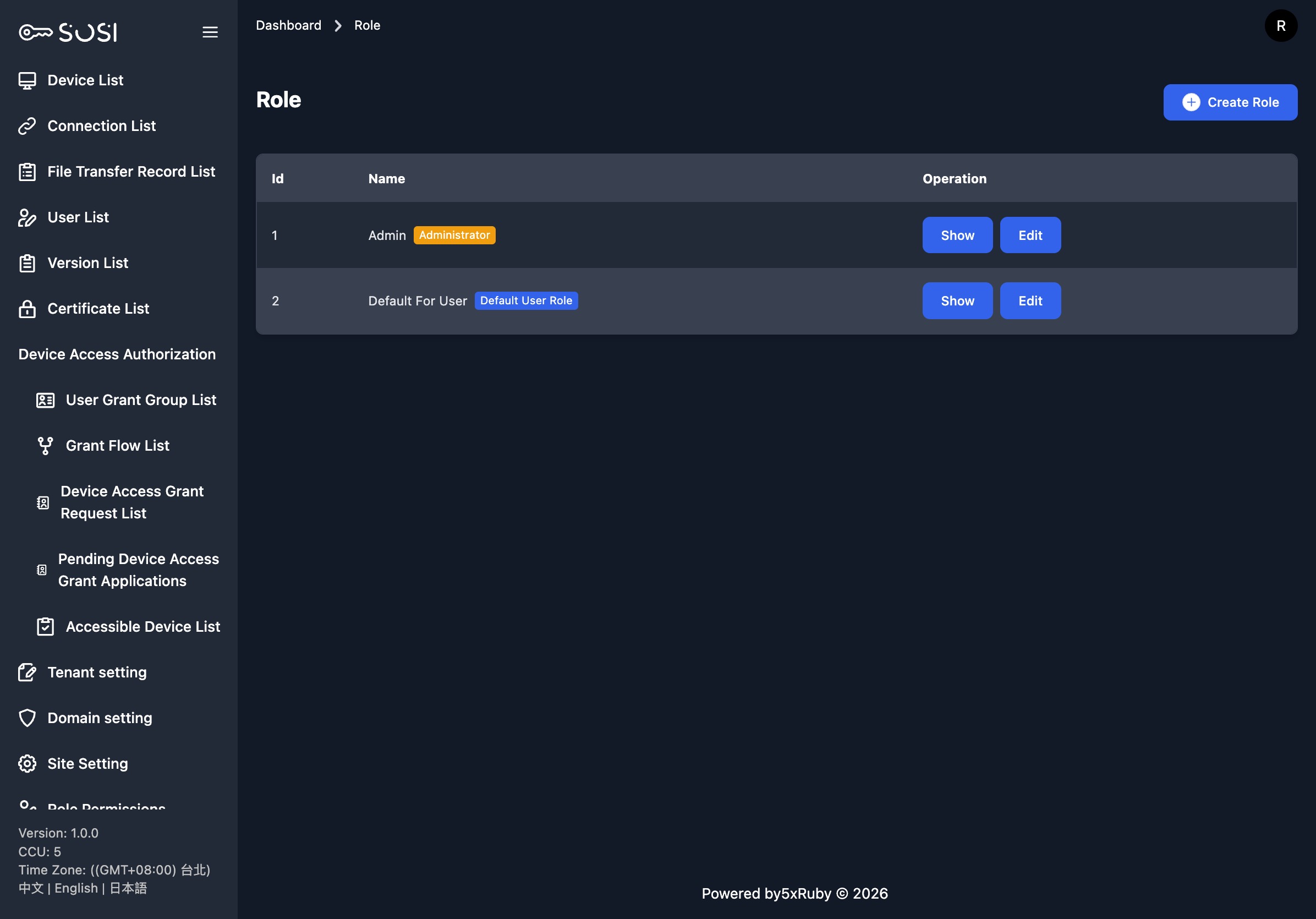
Create Role
Click the “Create Role” button to access the new role form. The following settings are available:
| Setting | Description |
|---|---|
| Default User Role | When checked, newly created users will automatically be assigned this role |
| Can Join Authorization Groups | When checked, users with this role can be added to authorization groups for approval workflows. Note: Users with the System Administrator (Admin) role can always be added to authorization groups regardless of this flag. |
| Hide Watermark on Connections | When checked, users with this role will not see a watermark during remote sessions. See Watermark Settings |
| Name | The display name of the role (e.g., System Administrator, Normal User, Auditor) |
Page Permission Settings
Each role can be configured with three permission levels for the following modules:
| Permission Level | Description |
|---|---|
| Editable | View and perform all operations (create, edit, delete) |
| Read Only | View content only; cannot make changes |
| Invisible | Module is completely hidden; sidebar menu item is not displayed |
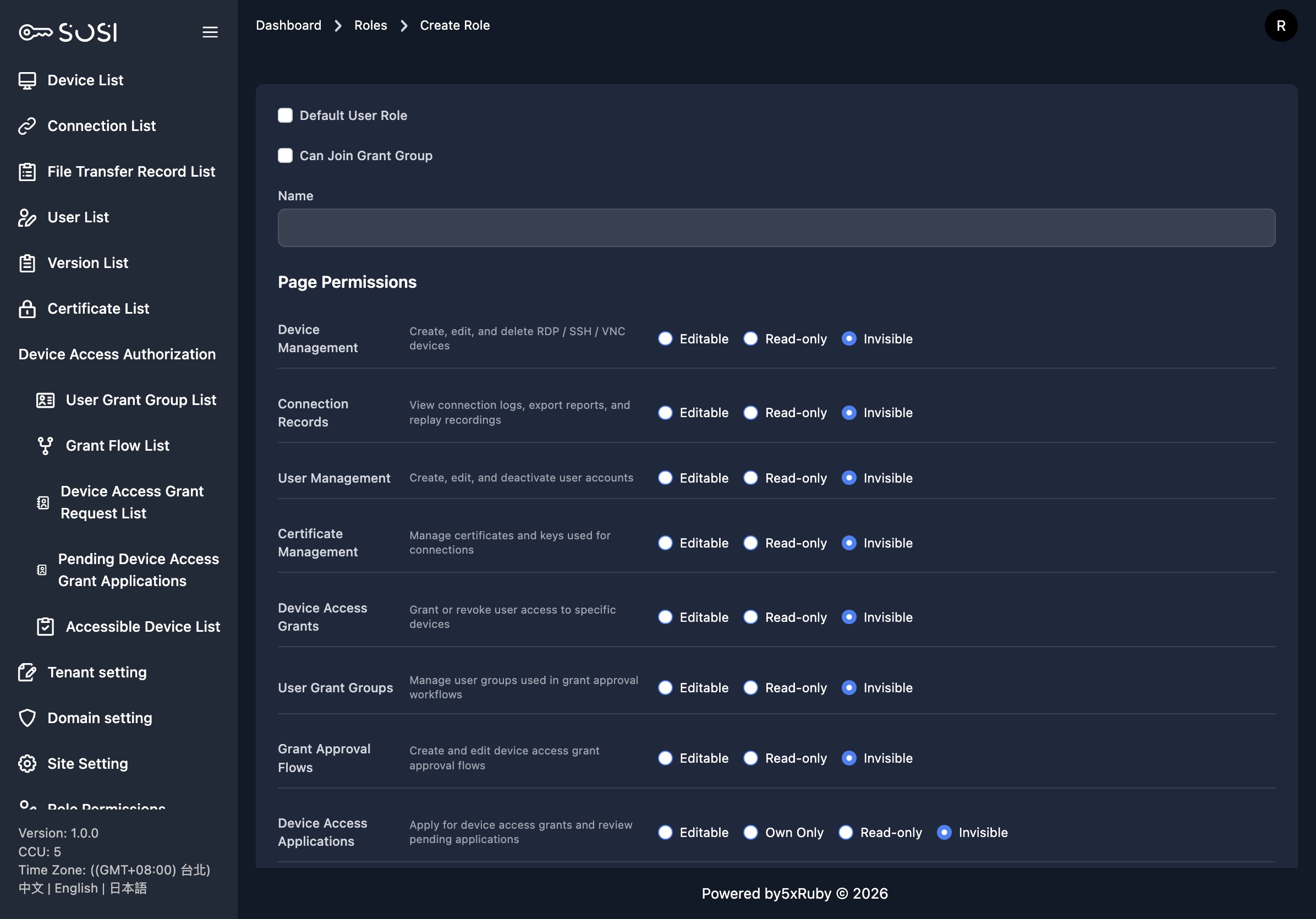
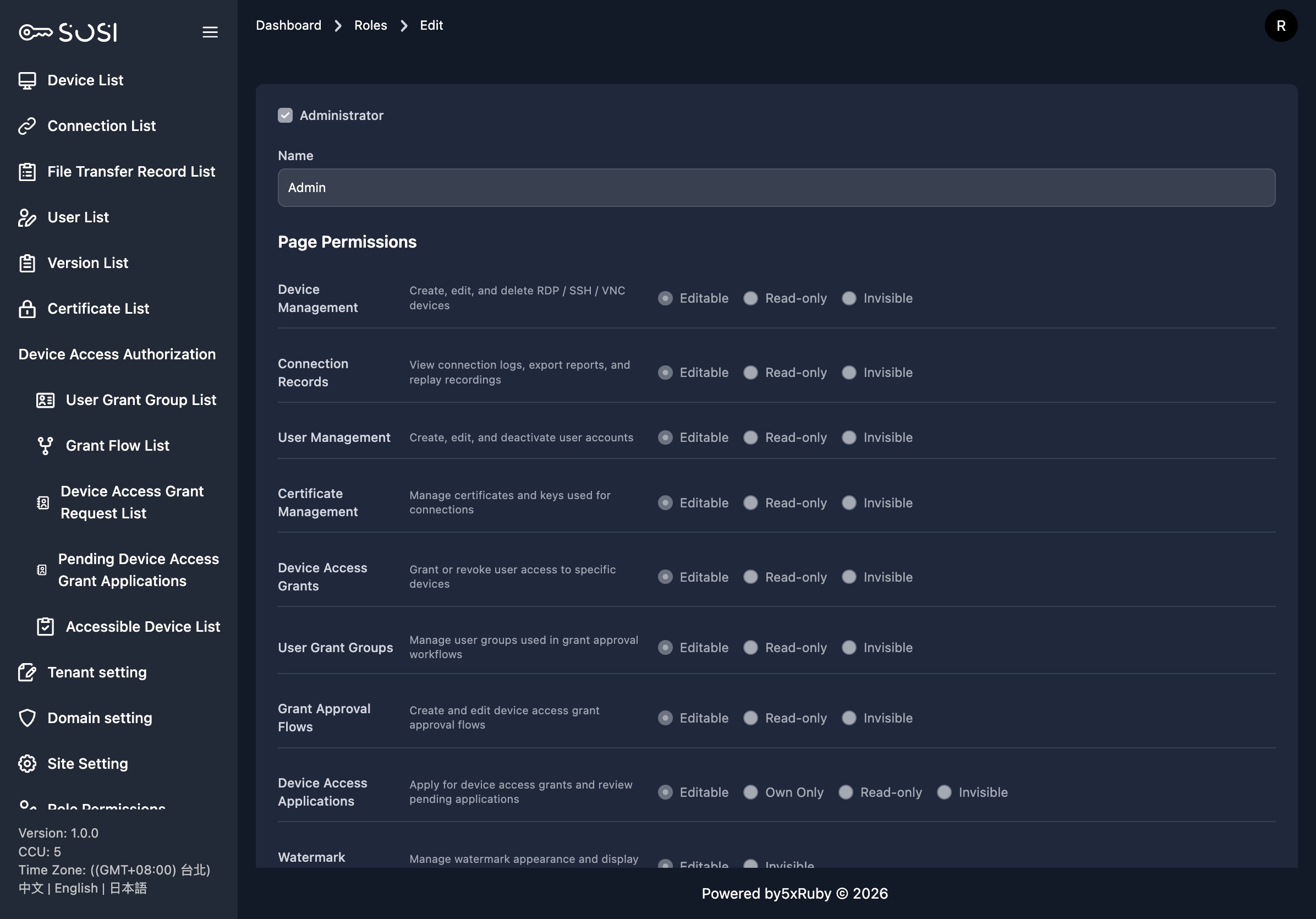
Permission modules include:
- Device Management (create, edit, delete RDP / SSH / VNC / Telnet devices)
- Connection Logs (view connection records, export reports, replay recordings)
- File Transfer Logs (view SFTP file transfer records)
- User Management (create, edit, disable user accounts)
- Activity Logs (view system audit records)
- Credential Management (manage connection credentials and keys)
- Device Connection Authorization (grant or revoke user access to specific devices)
- User Authorization Groups (manage user groups for approval workflows)
- Domain Settings (manage LDAP / OIDC authentication domains)
- Watermark Settings (configure screen watermark protection)
- Site Settings (manage 2FA, email, recording, and other global settings)
- Role Management (manage role permissions themselves)
Edit Role
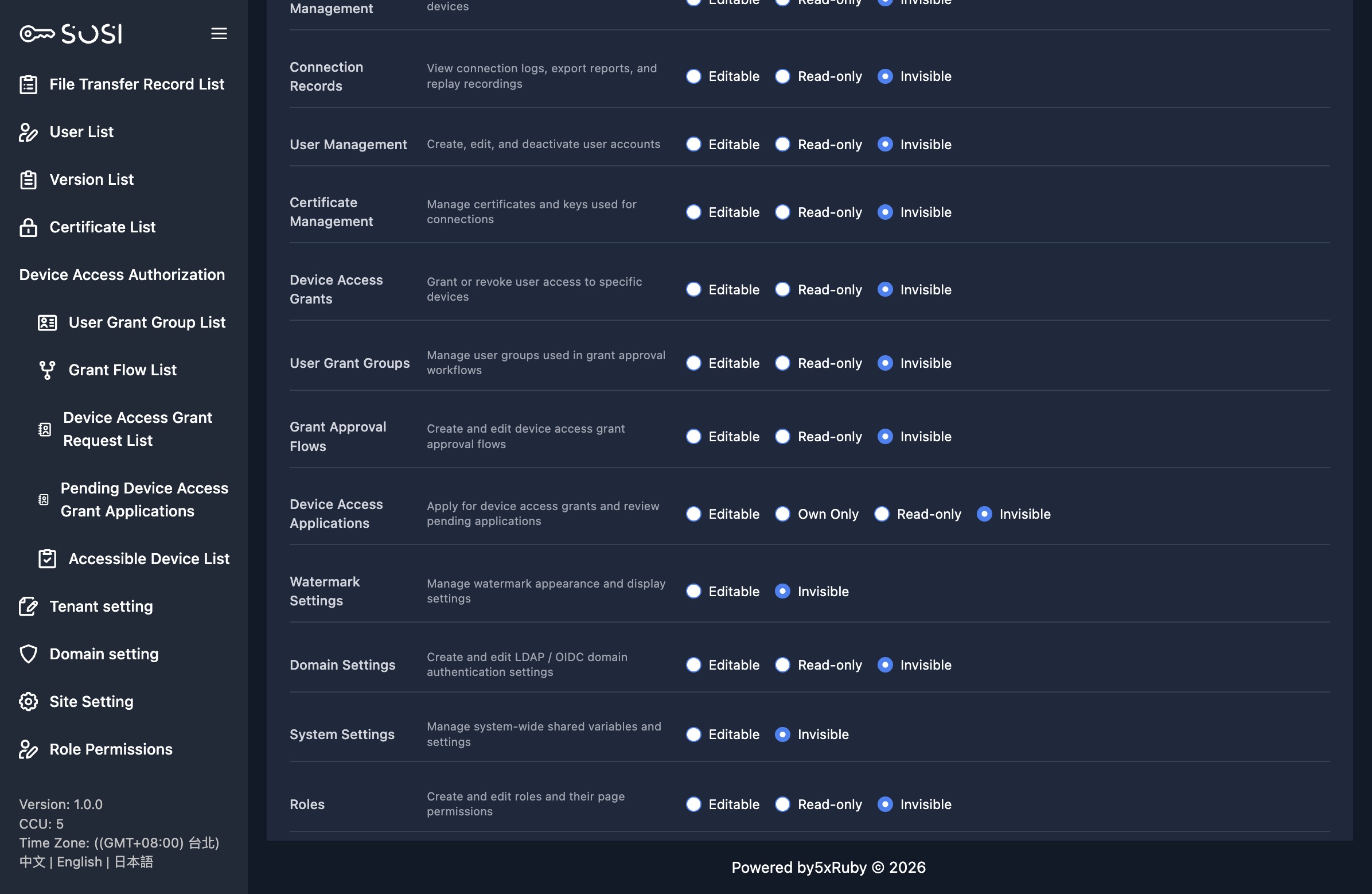
Click “Edit” on the role list to access the edit page. You can modify the role name, default user role flag, authorization group eligibility flag, and permission levels for each module.
System Administrator Role Protection
Note: The System Administrator (Admin) role is a built-in protected role. Its “System Administrator” flag cannot be unchecked, and all page permissions are permanently set to “Editable” and cannot be changed.
This design ensures that at least one role with full permissions always exists in the system, preventing accidental loss of administrative control.
User Role Assignment
Once roles are created, you can assign a role to each user in the User List. The user list also supports filtering by role, allowing administrators to view users grouped by role.
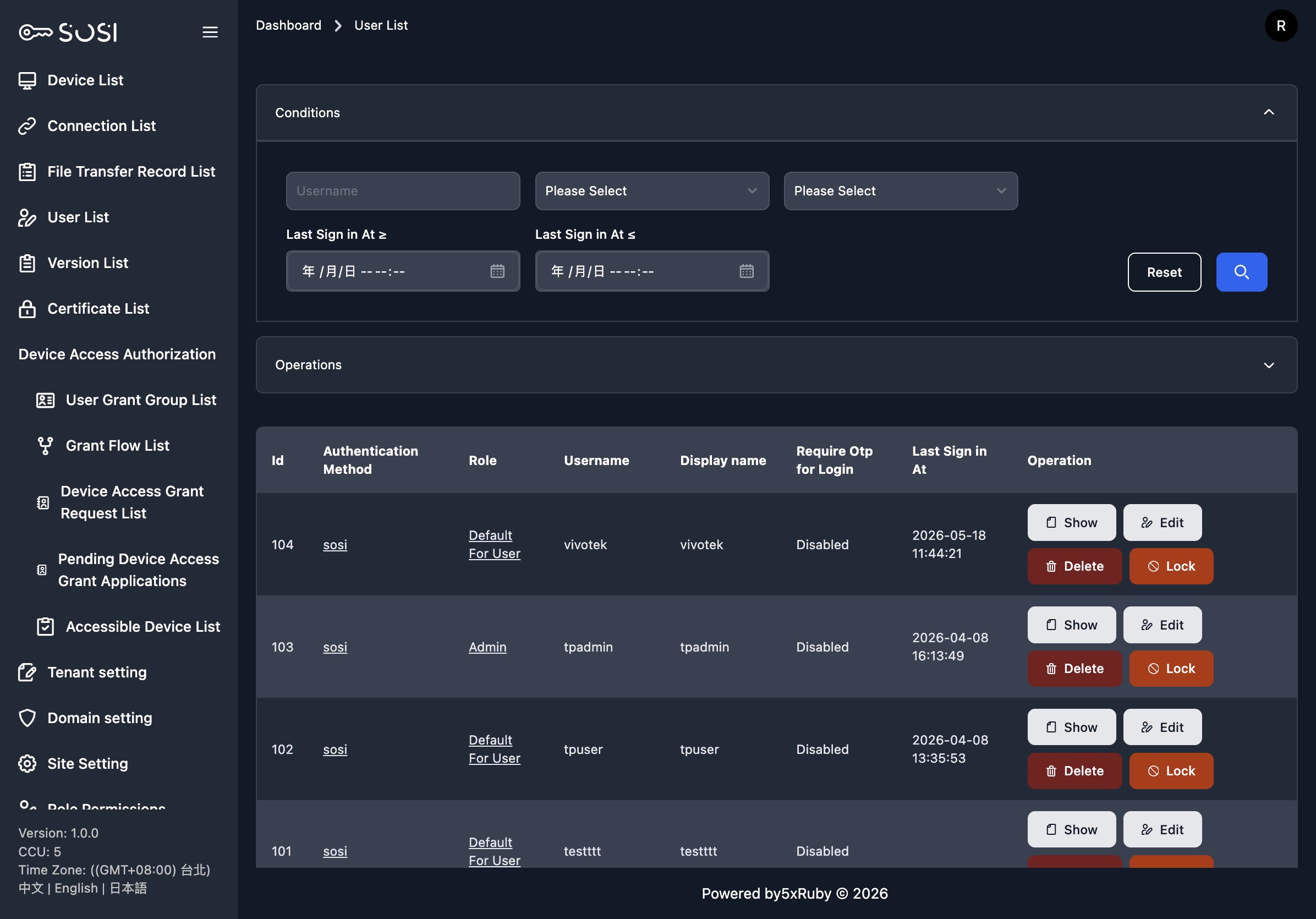
The sidebar menu items displayed to a user are dynamically determined by their role permissions. For example, if a role’s “Device Management” permission is set to “Invisible,” the “Device List” option will not appear in the sidebar for users with that role.