
Telnet Device Settings
Telnet Device Settings
Telnet is a long-standing network protocol for remote login and terminal emulation. When configuring a Telnet device, specific terminal parameters must be provided.
Basic Settings
For settings common to all device types, refer to Device List:
- Device Name
- IP / Hostname
- Type: Select Telnet
- Max Connections
- Port: Telnet default is 23
- Remarks
- Max Duration
- Admin Email
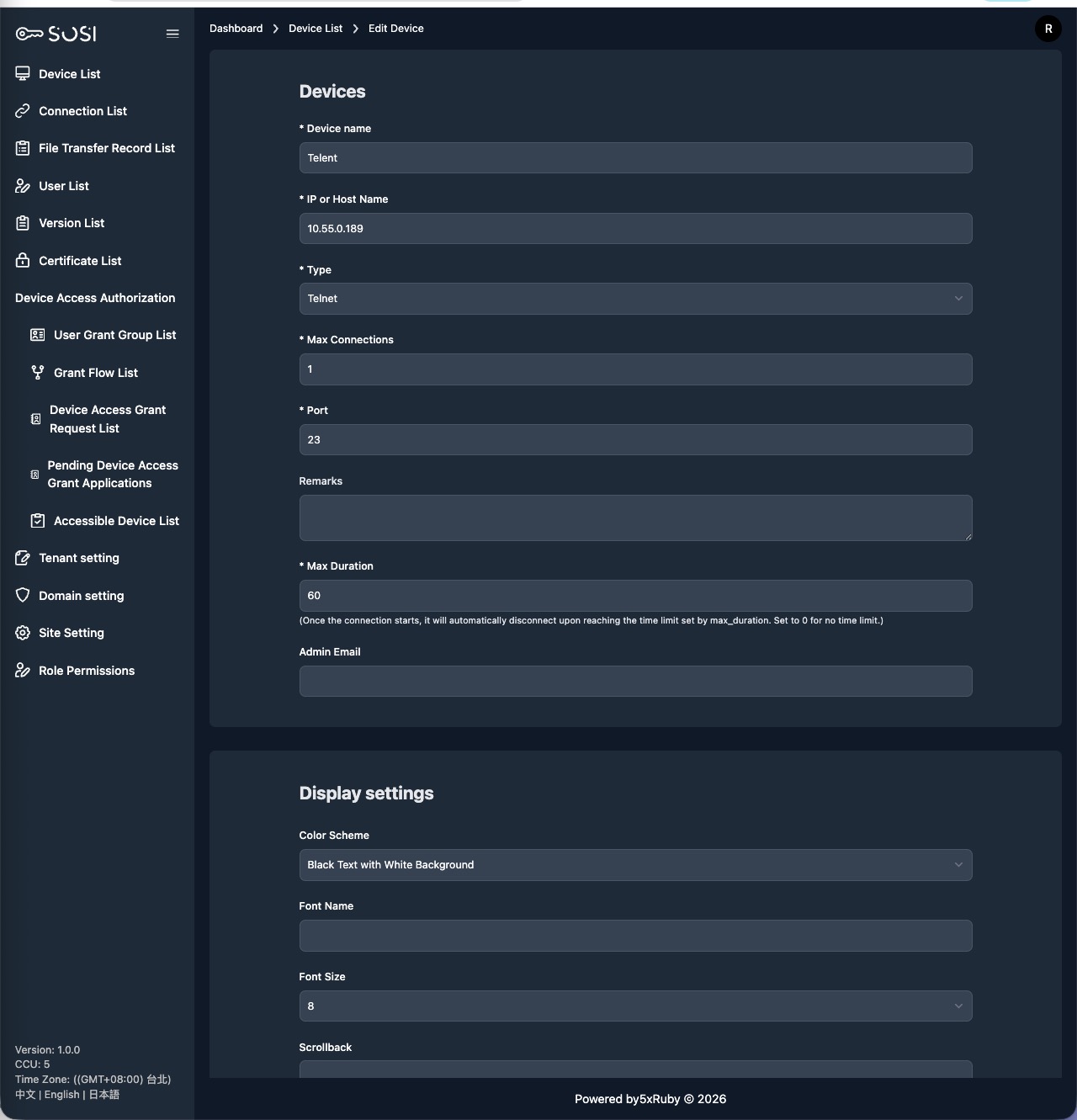
Telnet-Specific Settings
Color Scheme
Select the terminal display color theme:
| Color Scheme | Description |
|---|---|
| White bg / Black text | White background with black text |
| Black bg / Gray text | Black background with gray text |
| Black bg / Green text | Black background with green text (classic terminal style) |
| Black bg / White text | Black background with white text |
Font Name
Set the terminal font, such as monospace or Courier (monospace fonts recommended).
Font Size
Set the terminal text display size, ranging from 8 to 40 pt.
Scrollback
Set the number of scrollable lines in the terminal buffer. Higher values retain more historical output.
Show Connection Info
When enabled, connection information (source IP, connection time, etc.) is displayed at the top of the terminal screen.