
SSH Device Settings
SSH Device Settings
SSH (Secure Shell) is an encrypted network protocol for securely operating network services over unsecured networks. When configuring an SSH device, specific connection parameters must be provided.
Basic Settings
For settings common to all device types, refer to Device List:
- Device Name
- IP / Hostname
- Type: Select SSH
- Max Connections
- Port: SSH default is 22
- Remarks
- Max Duration
- Admin Email
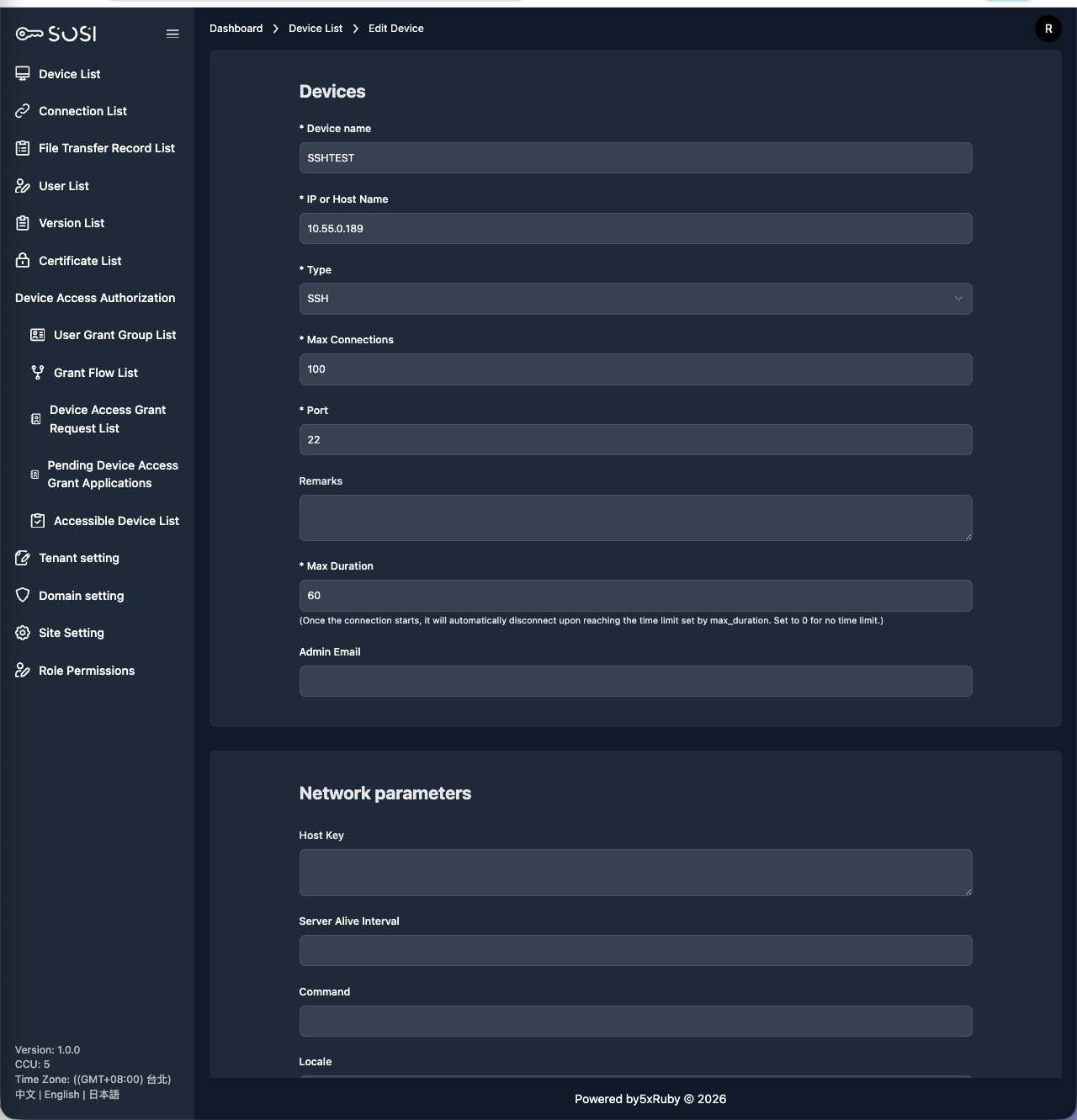
SSH-Specific Settings
Host Key
Enter the remote SSH server’s Host Key (public key) to verify server identity and prevent man-in-the-middle attacks.
Server Alive Interval
Set the keep-alive packet interval (in seconds) for the SSH connection. This helps prevent idle timeouts in unstable network environments.
Command
Specify a command or script to execute automatically after SSH connection is established. Useful for auto-navigation or launching specific programs.
Locale
Set the locale environment variable for the SSH session (e.g., en_US.utf8, zh_TW.utf8) to ensure consistent text encoding and language display in the terminal.